
Smart Rgbic Ambient Light TV Sync 12V 2A 30pcs LED Per Meter
Price:
USD23.8-33/set
MOQ:
20
Delivery Time:
3-25 working days
Brand:
Nanxin
Product Description
Smart Home Light WIFI Tuya Rgbic Immersion Tv Ambient Led Backlight With Camera
Product Feature
1: Suit for all brand TV size in (3.4m)43-50 inches and (3.8m)55-65 inches.
2.: Works with tuya or smartlife app , remotely controlled by your smart phone,
3: insert camera type-c cable and LED strips cable to control box, easy to install and operate.
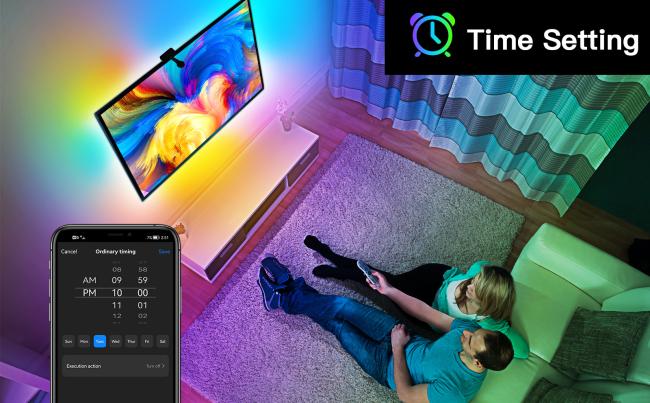
4: Share device with your family in app, easy open and close, set schedules, timer and countdown.
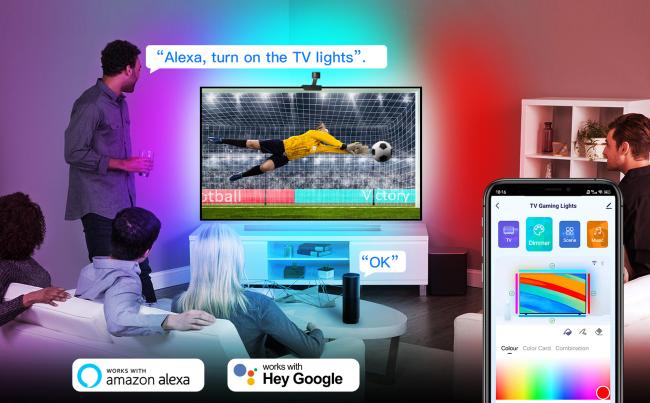
5: Support Alexa and google home assistant voice control,
6: Color can be changed with the image captured by camera.
2.: Works with tuya or smartlife app , remotely controlled by your smart phone,
3: insert camera type-c cable and LED strips cable to control box, easy to install and operate.
4: Share device with your family in app, easy open and close, set schedules, timer and countdown.
5: Support Alexa and google home assistant voice control,
6: Color can be changed with the image captured by camera.
Product Specification
| Power input | 12V 2A(max) |
| Package weight | 0.7kg |
| Power Adapter | US/UK/AU/EU |
| Led strips length | 3.4m or 3.8m |
| Camera cable | Type-C |
| Light color | RGBIC |
| Control methods | Voice+APP+Manual |
| APP Name | tuyasmart, smartlife |
Product Description
1. Support Alexa or Google home assistant voice control
2. Camere can recognize TV screen color, and sync with light
3. Work in 2.4GHz Wi-fi
Product Details
![]()
2. Camere can recognize TV screen color, and sync with light
3. Work in 2.4GHz Wi-fi
4. tuyasmart or smartlife app remote control
5. Set Schedules / Timers /countdown
6. Share device with familiy to control it
FAQ:
1. How can I share devices with my family members?
---Open the Smart Life application, select “profile” >“Devices Sharing”>“Sent” select “Add Sharing”, now you can share with your family members.
2. What should I do when the configuration fails?
---Check whether the Smart Star Projector can turn on or not; Check whether the available internet network is the 2.4GHz frequency; Check your internet connection, whether it works properly.
3. Can this APP be used on any type of mobile phone?
--Yes, the APP can works with both android &IOS systems.
---Open the Smart Life application, select “profile” >“Devices Sharing”>“Sent” select “Add Sharing”, now you can share with your family members.
2. What should I do when the configuration fails?
---Check whether the Smart Star Projector can turn on or not; Check whether the available internet network is the 2.4GHz frequency; Check your internet connection, whether it works properly.
3. Can this APP be used on any type of mobile phone?
--Yes, the APP can works with both android &IOS systems.
Similar Products
Get in Touch
Have questions about our products or want to discuss a custom order? Our team is ready to help you.
Company
Shenzhen Nanxin Technology Limited
Location
1st floor, Jiantao Science Park, Queshan 2nd Village, Longhua District, Longhua City, Shenzhen, China
Contact Person
Weir Huang