
1600mAh GSM Portable GPS Tracker FDD LTE MT510G 5m 4G With Voice Monitor
Portable 4G GPS Tracker MT510G With Voice Monitor For Child Used In America
Performance Parameters:
| Item | Specifications |
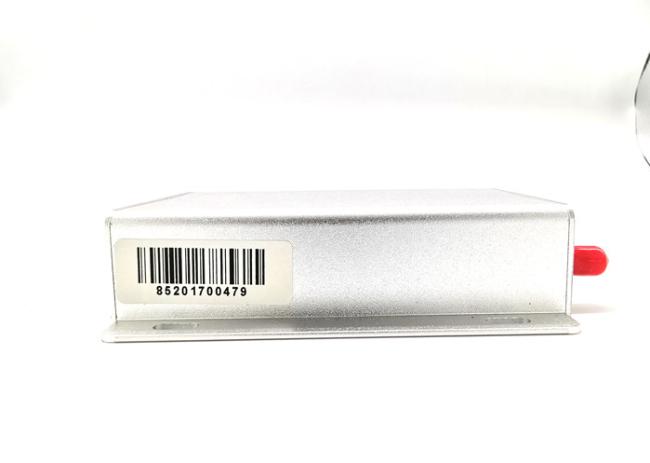
| Dimension | 89(L)*57(W)*20(H)mm |
| Weight | 89g |
| Charging Voltage | Micro USB interface DC 5V |
| Backup battery | 1600mAh/3.7V |
| Power consumption | 60mA standby current |
|
4G Frequency bands |
MT510G-A 4G: 700/1700/1900MHz@FDD LTE 3G: 850/1700/1900MHz@UMTS MT510G-E 4G: 800/850/900/1800/2100/2600MHz@FDD LTE 3G:850/900/2100MHz@UMTS 2G: 900/1800MHz@GSM |
MT510G 4G Personal Tracker
Preface
Thank you for choosing the 4G Personal GPS tracker.This manual shows how to operate the device smoothly and correctly.Make sure to read this manual carefully before using this product. Please note that specification and information are subject to changes without prior notice in this manual. Any change will be integrated in the latest release.The manufacturer assumes no responsibility for any errors or omissions in this document.
Description:
- Online web platform, the historical and current location can be checked
- Remote voice monitoring.
- Low battery alarm.
- Inlayed 3D accelerator,moving and static state, energy smart.
- Change the time interval of uploading automatically according to the speed.
- Admin checks the altitude and longitude and location information by texting.
- A-GPS solutions,shorter locating time,higher precision.
- Long Duration battery up to 48 hours fully working ( test under updating per 30 seconds).
- Sleep model ,1600MAH battery, can work 2 days .
1. Overview
This device is the latest 4G personal tracking device support 4G LTE network. It can locate and monitor any remote targets by SMS/PC/APP.
The unit features excellent and stable work performance.It used for personal,vehicle and pets.
2. Application
- 4G FDD LTE network support
- Real-time position inquire
- Two way voice communication
- Voice monitoring
- Personal trip history on web
- SOS alarm
- Over-speed alarm
- Motion report
- Geo-fence alarm
- Backup battery low power alarm
- Power saving mode
- Mileage report
Portable 4G GPS Tracker MT510G With Voice Monitor For Child Used In America
1. First use
1.1 SIM Card installation
Pay attention to following items before installing the SIM card:
- Ensure the SIM card have enough balance.
- Ensure the SIM card enable caller ID and GPRS function.
- Ensure the SIM card disable PIN password and call forwarding function.
To install the SIM card, perform the following operations:
- Ensure the SIM card chip facing up and correct direction(see following picture).
- Insert the SIM card to the SIM card port.
Note:
- The device only support Standard SIM card;
- If want to take out the SIM card, use the tweezers to press the SIM card and it will pop up.
Pay Attention:
- Device will POWER ON automatically after insert SIM card
1.2 Indications
1. Hardware Introduction
1.1. Buy one Sim Card and confirm the following details: This sim card can be used to make call, send SMS, and gets GPRS function. This sim card gets enough money for GPS tracking service. This sim card gets caller ID display function, no call forwarding. The SMS format should be text format, not PDU format. (Most countries use text format for SMS)
1.2. Please use the screw driver to open the GPS tracker, and Insert the sim card with the correct direction (golden part faces down).
1.3 The first time you use this tracker, please charge the GPS tracker 12 hours, so that the battery can get a good performance, Normally, it only takes 3-5 hours to charge battery fully. Because the battery in tracker is li battery, so don’t squeeze it illegally, or put it into fire. The normal standby time of battery is 100 hours.
1.4. Please use the power charger in standard kit to charge our GPS tracker.
2. Device Activation.
2.1 Bring GPS tracker to open air, and press power switch for 3 seconds, then you can see the indication light will be on. Then GPS tracker will start to search GSM and GPS signal automatically. 2.2. According to the light status, user can judge the GPS tracker status. Once the GPS signal is ready, you can set all functions in user manual.
Portable 4G GPS Tracker MT510G With Voice Monitor For Child Used In America
3. Administrator number setting(Master number setting)
3.1 How to add admin phone number: (Default factory setting password:123456) Instruction: admin+password+space+country code+ GSM number For example: admin123456 08615899778447 Then system will reply a SMS: admin ok Notice: User can only use admin number to set SOS number in, furthermore, never cancel the space and country code, the first time you use this tracker, please change the password by the following instruction: password+old 123456+space+new 123456 For example:password123456 666888 Once you change the password, you can receive a SMS from tracker “password ok”
3.2 How to delete admin phone number: Instruction: noadmin+password+space+country code+ GSM number 3.3 SOS alarm phone number setting Instruction: sos+password+space+country code+sos phone number For example: if your send SMS instruction: sos123456 08615899778447 to GPS tracker, GPS tracker will send you a SMS back with “SOS number ok”, in future, if you long press SOS button for 3 seconds. GPS tracker will send a SOS SMS to all SOS phone number.
3.3.1 Set SOS phone number(support 2 group SOS phone numbers) Instruction:
LED light status Normally on without flash Charging Flash Low battery Off Full battery
4. Set GMT Time zone number: Instruction: time zone+123456+space+GMT No. For example, Finland is GMT+2 zone, so user can set: timezone123456 +2. Then GPS tracker will be adjusted to be the right time zone “Time OK”
5. Inquire location
Inquire Location by call If you have set an admin phone number, you can call GPS tracker and get location SMS, but phone number which has not been registered can’t inquire location SMS. If you haven’t set admin phone number, any phone number can be used to inquire location SMS. When you use admin number to call GPS tracker, the GPS tracker will remind you “ the phone number you call is busy”, then you can hang up the call, the GPS tracker will send a location SMS to you automatically soon like follow:
1. Main Operation and Application
All the following operation is use your phone send the commands (like SMS text message) to tracker’s SIM card number, your phone will get the reply after send correctly.
1.1 Set Authorization Phone Number
Command: *cell phone number *password*serial number(1-3)**
Example: *13424392330*0000*1**
Reply:SET USER NUMBER 1 OK.
Note:
- The defaulted password is 0000
- It can authorize up to 3 phone numbers.
1.2 Change the password
Command: 777+new password+old password
Example: 77712340000
Reply:SET USER PASSWORD OK.
1.3 Single Locating
Command: 666+password
Example: 6660000
Description: Send this command to unit,it will reply as follow:
ID:865662000409210
Date:05:36:59 15/08/2015
Fix:A State:SMS
http://maps.google.com/maps?q=+22.63146%2c1+114.03701
1.4 Calling Switch
Calling OFF: 150+password
Example: 1500000
Reply: SET VOICE CALL:OFF
Calling on: 151+password
Example: 1510000
Reply: SET VOICE CALL: ON
Note: if do not need the calling alert,send 1500000 to disable it
1.5 SMS Response ON/OFF
SMS OFF: 160+ user password
Example: 1600000
Reply: SET SEND SMS:OFF.
SMS ON: 161+ user password
Example: 1610000
Reply: SET SEND SMS:ON.
Note:If do not need the SMS alert, send 1600000 to disable it.
1.6 Call Restriction Switch
Call restriction OFF: 170+password
Example: 1700000
Reply: SET INCOMING CALLS:OFF.
Call restriction ON: 171+password
Example: 1710000
Reply: SET INCOMING CALLS : ON
Note:
- 170 mode: device will only receive incoming call from 3 authorization numbers.
- 171 mode: it will answer incoming call from any phone number.
1.7 Phone positioning function
If incoming call is from the authorized numbers and it is hung up after ringing for 2-5 times, the unit will send location to authorized number and then upload data to server, the state is :CALL.
1.8 SOS Alarm
Press SOS button for 3 seconds(vibrate twice),device will call the authorized numbers and then send location to authorized number and upload data to server,the state is: SOS.
1.9 Voice Monitor
Disable the monitor : 000+password
Example: 0000000
Reply: SET VOICE MONITOR:OFF.
Enable the monitor : 001+password
Example: 0010000
Reply: SET VOICE MONITOR:ON.
Note: Default is MONITOR OFF
1.10 Round Geo-fence
Command: 005+password+R+X
Example: 0050000R1.0
Reply:SET ROUND GEO-FENCE:ON
Note: X define[0.1-999.9]KM
1.10.1 Enable the Geo-fence
Command: 211+password
Example: 2110000
Reply: SET ROUND GEO-FENCE: ON.
1.10.2 Disable the Geo-fence
Command:210+password
Example:2100000
Reply:SET ROUND GEO-FENCE: OFF.
1. Overview
This device is the latest 4G personal tracking device support 4G LTE network. It can locate and monitor any remote targets by SMS/PC/APP.
The unit features excellent and stable work performance.It used for personal,vehicle and pets.
Gurantee:
1. All of our product is free to use the Tracking service server in 24 hours each day
2. All of our product there is a 2 year quanlity assurance.
3. Sample fee will not be returned.
Product Configuration:
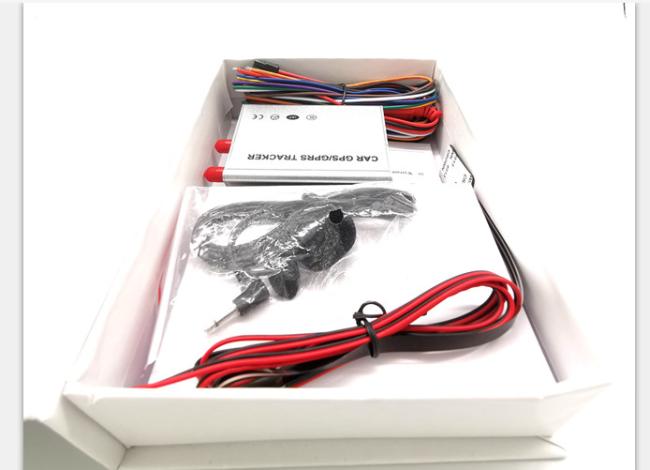
1. Standard configuration
1) main device 1 pcs
2) charger 1 pcs
3) Installation cables 1 set
4) Usage instructions
5) Warranty card
6) Certification
Get in Touch
Have questions about our products or want to discuss a custom order? Our team is ready to help you.