
multifanctional high speed pick and place mounter,smt pick and place machine,automatic mounter,magnetic linear motor
1.product details
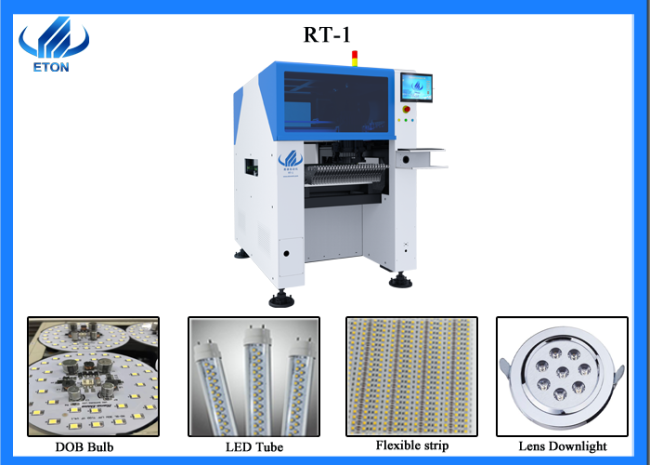
Rt-1 is a single-module multifunctional mounting machine with a capacity of 30000CPH~35000CPH. The components that can be mounted include LED3014/3020/3528/5050, capacitors, resistors, IC and special-shaped components.it applies to LED light and electric board.
2.product Technical parameters of high speed pick and place machine
| Place of origin | Guangdong,China |
| Model number | RT-1 |
| dimension | 1104*1584*1655 |
| PCB size | 50*50~400*350 |
| PCB thickness | 0.1~6mm |
| Mounting speed | 30000~35000CPH |
| Mounting mode | Group picking and separate placing, separate picking and separate placing. |
| Mounting precision | ±0.02cm |
| Feeder stations | 32pcs |
| nozzles | 10pcs |
| Mounting height | 40mm |
| No.of camera | 2 sets of imported camera |
3.product features of smt pick and place machine
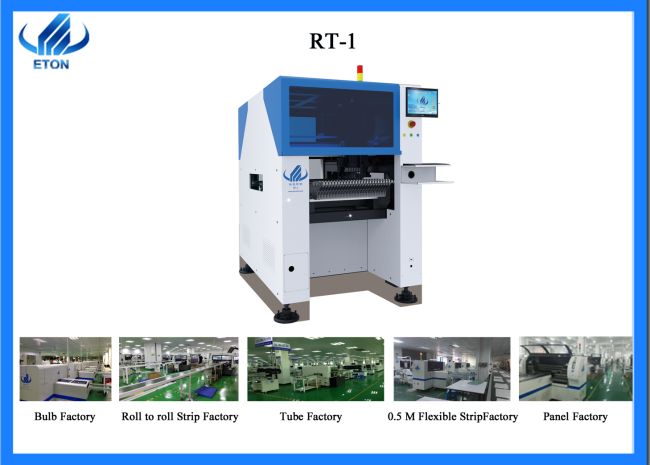
- X,Y,Z drive way is high-end magnetic linear motor+servo motor.
- PCB clamping is adjustable pressure pneumatic.
- Vision for the flight identification ,mark correction.
- Electronic feeder feeding system.
- Non-stop material re-loading function.
- Auto-optimization after coordinates generated.
4. The warranty
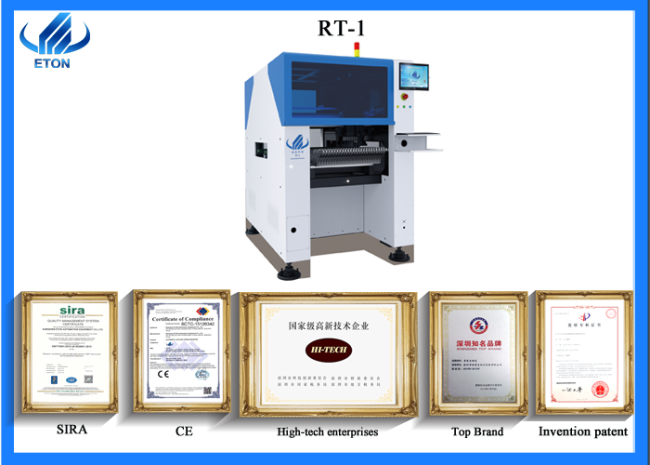
Standard warranty is one year,during warranty,any parts need to be repaired and replaced will be free.
5.Packing & delivery of smt mounter machine

6.Company profile


Business terms:
| Accepted delivery terms | EXW, FOB, CIF, CFR |
| Accepted payment currency | USD,CNY |
| Accepted payment type | L/C, T/T |
| Nearest port | Shenzhen |
7.Our Our certificates and certifications

8. trade show

9. FAQ


contact
Name:Brynn
Email :Brynn@eton-mounter.com
WeChat:13802252825
Telephone:138 0225 2825
Industry related knowledge
Adaptability of SMT placement machine
Operation Process of Patch Machine
- Patch production process
- Set the SET/STATUS/RECOVERY to E.STOP, production in this state, observe the operation of the feeder, and replace and repair the feeder. as needed Set the RECOVERY to AUTO. after the feeder is found to be running properly
- Screen printing tin paste;
① Screen printing mold adjustment to ensure that the printed solder paste is not defective;
② check PCB circuit board for defects, for deformation, no MARK point or MARK point irregular circuit board, non-print tin paste ,(returned to warehouse);
③ Check the tin paste for welding, printing bad, or other bad conditions, should clean the PCB board, with alcohol cleaning with the air gun blow dry, and then baking re-printing paste.
- Patch machine Fida loading
① Return the TABLE used on the D board to both sides when feeding;
② Take off the feeder( feeder from the D shaft carefully and feed as required.
③ Put the feeder flat on the D axis after good material, should not warp;
④ feeder should be exposed on each feeding material, easy to absorb suction mouth, and check D-DATA, no feeding errors;
⑤ To check feeder loose, abnormal, if bad, repair and maintenance feeder; immediately
⑥ Should there be a TAPY Feeder alarm, must carefully check whether there is a feeder cover with or without warp.
⑦ place the PCB board on the machine transport track in the required direction, and require no more than 5 boards on PCB machine track (including one of the X Y TABLE).
- Outboard
remove the pasted PCB board from the placement machine guide in time and be sensed by the sensor.
- Repair boards
QC employee shall correct all defects (e.g.: shift, dewelding, component misleakage, etc.) on the pasted PCB board according to the operation drawings, and put the corrected PCB board into the plug-in box.
- Note: If the following anomalies exist, they should be immediately reported to the technical staff for correction.
① The whole or partial displacement of the element;
② The missing parts, component skew etc.
③ Check that directional patch elements are in the right direction, such as Triode, ICs, BGA, varactors and executives.
- Shutdown
- Press the ENGERNCY key, then press the shutdown key on the operating board;
- Press the key POWER OFF opening under the machine screen and then put the main power switch on the OFF;.
- Turn off the air conditioning switch;
- OFF". the main power switch
Get in Touch
Have questions about our products or want to discuss a custom order? Our team is ready to help you.