
Small 1.1 Inch 132x240 IPS 350 nits TFT LCD Display TST011QVHS-02
Description of TST011QVHS-02
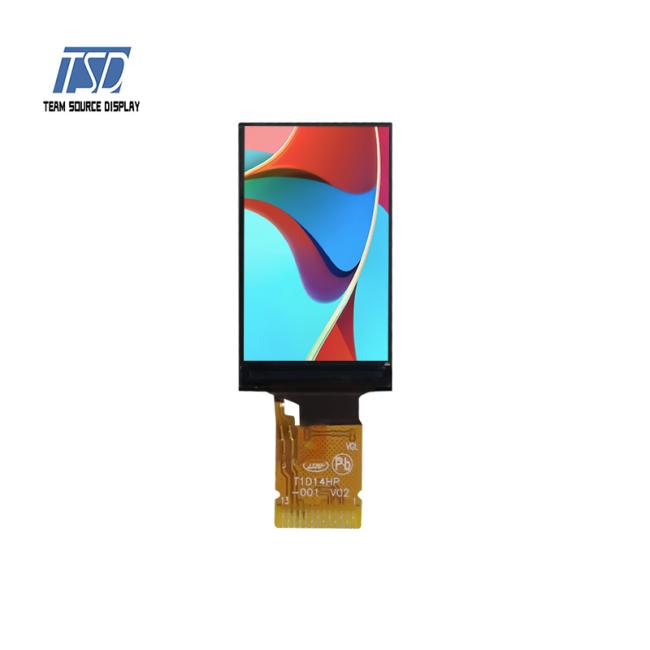
TST011QVHS-02 is 1.1 inch 135x240 resolution SPI interface LCD display module in consumer grade, It could be used for consumer electronic product, which is with display. The brightness is 350 nits, White LEDs is 1 piece, backlight current is 20mA and backlight voltage is 3.0V, which could be customized. For this 1.1 inch TFT LCD module, driver IC is ST7789P3, viewing direction is free, all o'clock, color depth is 262K, white backlight and transmissive mode.
Specification of IPS LCD Display
| LCD type | IPS LCD display |
| Part No. | TST011QVHS-02 |
| Resolution | 132x240 |
| Outline dimension | 17.6x31x1.56mm |
| Active Area | 14.86x24.91mm |
| Brightness | 350 cd/m2 |
| Interface | SPI |
| Viewing angle | All o'clock |
| Operating temperature | -10℃ to +60℃ |
| Storage temperature | -20℃ to +70℃ |

Feature of IPS LCD Display
Panel Size: 1.1 inch round ips lcd panel
Resolution: 132x240
Interface Type: 13 pins SPI
Viewing Angle: Free
Pixel Arrangement: RGB-stripe
Surface Treatment: Anti-glare
Backlight type: 1 LEDs, 20mA, 3.2V
Color Depth: 262K

Smart home, industrial control, consumer electronic product etc
This display module is a transmissive type color active matrix TFT(Thin Film Transistor) liquid crystal display (LCD) that could be used in many applications. This module is composed of a FOG, a driver-circut, and a back-light unit.The resolution of a 1.1" contains 132x240 dots and can display up to 16.7M colors.
2. If the LCD screen is damaged and the liquid crystal leaks out, do not lick and swallow. When the liquid is attach to your hand, skin, cloth etc, wash it off by using soap and water thoroughly and immediately.
3. Don't apply excessive force on the surface of the LCM.
4. If the surface is contaminated, clean it with soft cloth. If the LCM is severely contaminated, use Isopropylalcohol/Ethyl alcohol to clean. Other solvents may damage the polarizer. The following solvents is especially prohibited: water , ketone Aromatic solvents etc.
5. Exercise care to minimize corrosion of the electrode. Corrosion of the electrodes is accelerated by water droplets, moisture condensation or a current flow in a high-humidity environment.
6. Install the LCD Module by using the mounting holes. When mounting the LCD module make sure it is free of twisting, warping and distortion. In particular, do not forcibly pull or bend the I/O cable or the backlight cable.
7. Don’t disassemble the LCM.
8. To prevent destruction of the elements by static electricity, be careful to maintain an optimum work environment.
- Be sure to ground the body when handling the LCD modules.
- Tools required for assembling, such as soldering irons, must be properly grounded.
- To reduce the amount of static electricity generated, do not conduct assembling and other work under dry conditions.
- The LCD module is coated with a film to protect the display surface. Exercise care when peeling off this protective film since static electricity may be generated.
9. Do not alter, modify or change the the shape of the tab on the metal frame.
10. Do not make extra holes on the printed circuit board, modify its shape or change the positions of components to be attached.
11. Do not damage or modify the pattern writing on the printed circuit board.
12. Absolutely do not modify the zebra rubber strip (conductive rubber) or heat seal connector
13. Except for soldering the interface, do not make any alterations or modifications with a soldering iron.
14. Do not drop, bend or twist LCM.
Get in Touch
Have questions about our products or want to discuss a custom order? Our team is ready to help you.