
5.8Ghz 5W Drone Video Transmitter and Receiver 5.8G VTX VRX Ultra RC FPV Video Transmission
5.8Ghz 5W Drone Video Transmitter and Receiver 5.8G VTX VRX Ultra RC FPV Video Transmission
Transmitter specification:
| Modulate | Wideband fm modulate |
| Video format | Ntsc/pal |
| Antenna connector | Sma connector |
| Dimension | 72.5*50*18.5mm |
| Channel | 56 channels |
| Transmit power | 5w |
| Frequency | 4.9-5.8ghz |
Receiver specification:
| Supply current | 130ma |
| Rf input matching | 50 ohm sma |
| Video output voltage | 1.0vp_p 75ω |
| Audio output voltage | 1.0vp_p 10kω |
| Dimension | 50*50*15mm |
| Weight | 42.5g |
Operation method:
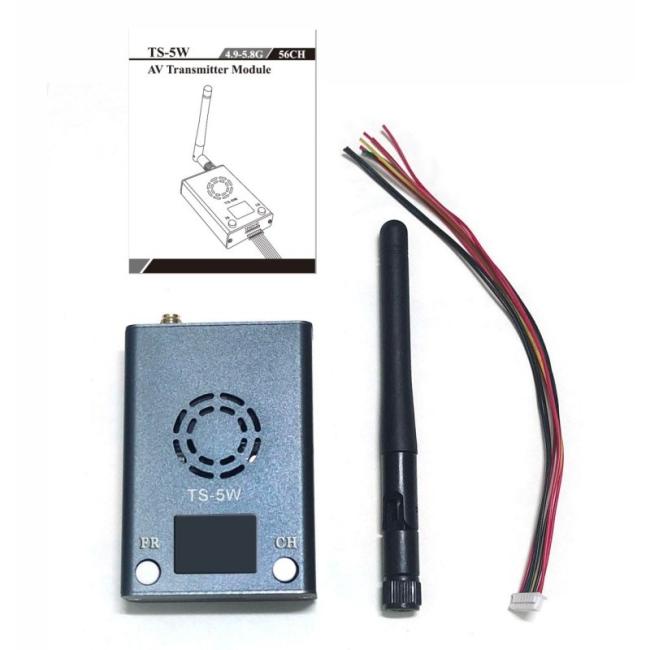
After powering on and turning on the digital tube, it will display the last saved frequency band and channel,
1. Implement module channels through two buttons_ CH, frequency band_ FR adjustment, and a power on button (note: be sure to turn it on after the antenna is installed, otherwise it will burn out the power amplification IC):
A: Frequency band adjustment:
In the initial startup state, press the FR button to adjust the current frequency band. Short press the FR button (about 0.5s) once to switch the frequency band from 1 to 2, and the digital display will switch from 1 to 2; Short press the FR button again (about 0.5S), the frequency band will jump from 2 to 3, the digital tube will display from 2 to 3, and so on. The frequency band will be displayed in sequence at A B. Loop between E.F.R.L.X, digital display shows loop between 1.2.3.4.5.6.7.
B: Channel adjustment:
Press the CH button to adjust the current channel. Short press the CH button (about 0.5s) once to switch the frequency band from 1 to2, and the digital display will switch from 1 to 2; Short press the CH button again (about 0.5S), the frequency band will jump from 2 to 3, and the digital display will go from 2 to 3... and so on, the frequency band will cycle between 1.2.3.4.5.6.7.8, and the digital display will cycle between 1.2.3.4.5.6.7.8.
C: Power on:
After confirming that the matching antenna is installed properly, press the power on button and the transmitter will start working normally. Be careful not to block the cooling fan window of the transmitter.
FAQ:
Q1: What can I buy from you?
COFDM digital AV transmitter, IP mesh radio, analog video transmitter, radio data transceiver, and transmitter receiver OEM main board.
Q2: Why should I choose you?
Our core R&D team comes from the first-class university in China, major in communication engineering. We believe that wireless communication will keep on developing in professional markets in the future.
Q3: Do you have a minimum order quantity?
No MOQ limit, 1pc is acceptable.
Q4: What kind of product service can I have?
OEM & ODM service.
Q5: What is the product warranty?
We offer two-year-warranty and lifelong maintenance.
Q6: What is the average lead time?
5-7 working days for regular model, and 20-30 working days for customized model.
Q7: What kinds of payment methods do you accept?
We accept bank transfer, Western Union, PayPal, or cash payment.
Q8: Can you supply the relevant documentation?
Yes, we can provide most documentation including Certificates of Analysis / Conformance; Country of Origin, and other export documents where required.
Our Service:
- One-stop ODM/OEM solution;
- 24-hour technical support;
- Lifelong maintenance (Replacement parts will be charged after a year);
- Provide professional system design and construction;
- You will get good price and high quality here since we are an experienced manufacturer in wireless microwave transmission area since 2008, we are the source.



Get in Touch
Have questions about our products or want to discuss a custom order? Our team is ready to help you.