
Reversing Aid For Audi MMI A6 A7 RMC Wireless Carplay Kit Video Interface Module
Reversing Aid For Audi MMI A6 A7 RMC Wireless Carplay Kit Video Interface Module
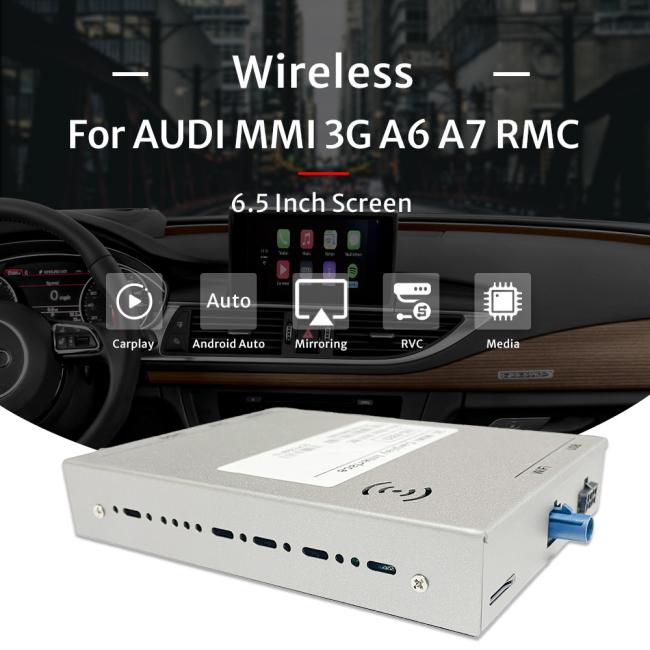
Wireless carplay interface is designed to upgrade the car original screen to wireless or wired carplay functions, android auto, mirror link, as well as front camera and rear camera parking guidelines functions. It's special fit models, comes with special fit, plug and play harness, main unit, ect.
It's make for AUDI MMI A6 A7 RMC
Video Interface Module Feature
| 1. Wired & wireless carplay and androd auto |
| 2. Front camera input, rear camera input |
| 3. Mirror link functions, share your phone with car screen |
| 4. Automactive dynamic parking guidelines |
| 5. UI customize support |
| 6. Wireless android auto function |
| 7. Bluetooth function |
| 8. Access to siri. |
| 9. Use car Aux or connect with external Aux |
| Vehicle Model | Screen Size |
| A6 RMC 6.5" | 2011-2015 |
| A7 RMC 6.5" |
2012-2015
|
What is video interface module can provide?
1. It provide wired / wireless carplay, android auto functions to car factory screen.
2. You can connect with front camera or rear camera to car's original screen to show the camera image while parking to assit park correctly.
3. It has dynamic parking guidelines, which can provide an guide to park in correct angle.
4. You can share your phone screen to car screen, to use phone mirror link function.
5. And it has bluetooth functions, you can answer phone call in-car.
6. This is plug and play installation, special fit model.
7. Please contact us for more car model.
How do we connect with CarPlay at first time?
1. Enter the installation settings Wireless CarPlay settings and click "Discover and connect devices" to pop up the CX_BT.
2. Open the bluetooth of the Apple mobile phone and search for the name of CX_BT..... as shown above, click Connect to Pair, and then click Use CarPlay
3. Entering this interface, the wireless CarPlay is connected successfully.
Note: (Apple needs to complete the Bluetooth pairing, and the WIFI on the mobile phone can be turned on to complete the wireless CarPlay connection), the next time you start the car, the connected car will be automatically connected.
*Easy connection method of wireless CarPlay for the first time: After connecting via USB cable, follow the prompts on the mobile phone to enable wireless CarPlay. After 15 seconds, unplug the data cable, and the wireless connection will be automatically connected.
*Wireless AUTO connection method for the first time is as follows (manual method):
Can I upgrade my car to wireless carplay?
With a wireless CarPlay adapter, you no longer need to connect your iPhone to the infotainment system via a data cable to use the CarPlay function. The carplay wireless adapter can upgrade wired carplay to wireless, making it easier and more fun to use carplay.
Video Interface Module Wireless CarPlay Kit Picture

Packing & Shipping
Shipping is via express, sea, flights, with retails package as belows:

Get in Touch
Have questions about our products or want to discuss a custom order? Our team is ready to help you.