
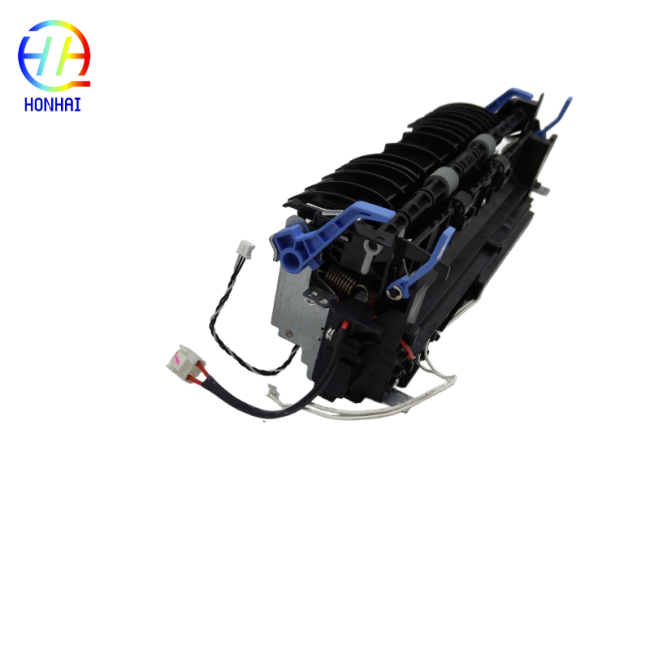
Fuser Unit 302111018801 For Pantum BP5100 BM5100 BP5100DN BM5100ADW BM5100FDW
With the Pantum printer's high-quality Fuser Unit (Part Number: 302111018801), you can count on getting clear, smudge-free documents. As the heart of the printing system, the fuser unit applies the correct amount of heat and pressure to permanently bond toner to paper.
If you're having issues such as toner that comes off constantly, smudged text, ghosting, or lots of paper jams inside your printer fuser area, then it's probably time to get a new fuser unit installed in your printer. This replacement fuser assembly is made especially for the Pantum BP5100 series and BM5100 series printers; therefore, it will return your printer to its original condition so that you can continue to get high-quality, reliable, fast printed documents for all your business needs.
- Part Number: 302111018801
- Product Type: Fuser Unit / Fusing Heating Assembly
- Condition: Brand New
- Compatible Printer Models:
- Pantum BP5100 / BP5100DN / BP5100DW
- Pantum BM5100ADN / BM5100ADW
- Pantum BM5100FDN / BM5100FDW


- ⚠️ High Temperature Warning: The fuser unit operates at extremely high temperatures. Always turn off the printer, unplug the power cord, and allow the machine to cool down for at least 45 to 60 minutes before attempting removal.
- Power Safety: Ensure the printer is completely disconnected from the power outlet to prevent damage during the installation process.
- Handle with Care: Do not touch the surface of the pressure roller or the heating element with your bare hands. Skin oils can cause permanent print defects. Avoid scratching the roller surface with sharp tools.
- Secure Connections: When installing the new unit, double-check that all electrical connectors and harnesses are securely plugged in to avoid error codes.
- Test Print: After installation, print multiple test pages to verify that the toner is fixing correctly, the print quality is sharp, and no error messages appear on the printer's display.
Get in Touch
Have questions about our products or want to discuss a custom order? Our team is ready to help you.