
FPV Helmet 300cd/㎡ Fpv Drone And Goggle Dual TFT LCD Display Adjustable IPD AV
Binocular TFT LCD Display Adjustable IPD AV FPV Helmet 2 Inch 480 × 360 FPV Drone Goggles
Product Details
| Screen Size | 2 inch |
| Material | TFT LCD |
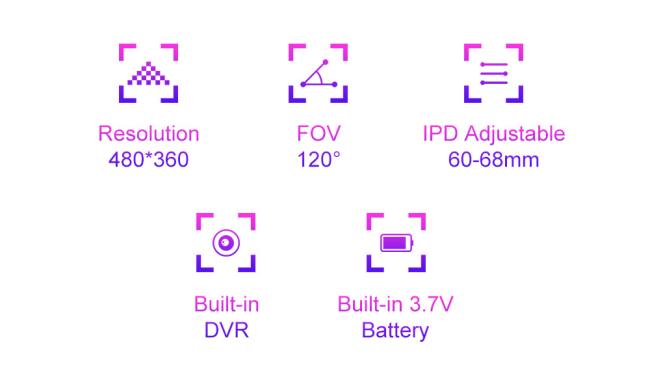
| Resolution | 480*360 |
| FOV | Field of view: 0/120 degrees (horizontal/vertical) |
| Power consumption |
1.5W-2.2W |
| Frequency | 5.8GHz,48CH |
| IPD | 60-68mm(Adjustable) |
| Battery | 3.7v 1000mAh Li-ion |
Product Features
Separable design, 2 inch screen can be used as small monitor on radio controller or with tripod.
- 2 inch small size and 480*360 resolution.
- Built-in super sensitiveness 5.8GHz 48CH and AV in receiver , especially with RaceBand
- High brightness 2inch TFT LCD specially tuned for FPV racing or Model airplane
- Ergonomic design fit your faces
- Come with advanced auto-searching function ad show you wht working frequency on screen
- >93% transparent lens adopted, no distort, no blur on the adage of screen
- Light weight 145g with 2hour 600mAh battery, RTF for any scale, racing, Model airplane game
- Built-in 3.7V/1000mA battery, each full charge revive around 2 hours working time
If the device is working when charging, please pay attention to selectiong the rated current greater than 2A/5V charging equipment.Battery
Built-in 3.7V/1000mAh high-capacity polymer battery, when the battery is charging , the device the red LED will light when charging is completed,here are bright green LED,Band and Channel selection.
Operation introduction
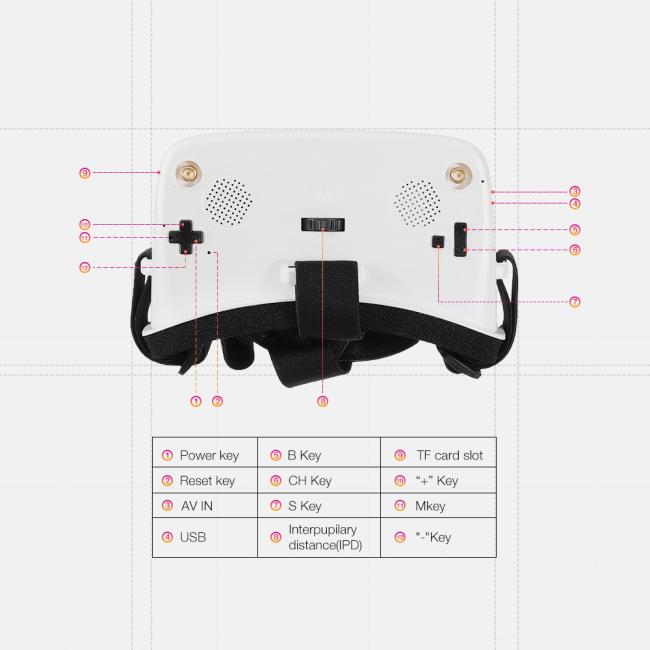
1. S Automatically channel search
The device would search signal one by one according 48 channels by pressing “Automatically channel search”. The device would stop searching when it searched the signal. User can press “Automatically search” key to continue if the signal is not required.
2. AV 3.5mm AV input
3. B …Bands
To press “B” key to exchange from “A,B,C,D,E,F” band when using manual bands searching.
- CH… Channels
After setting up bands by pressing “B” key when using manual bands searching, it would be exchanged from 8 channels by pressing “S” key continuously.
- Video and replay
To press “+” key to start video record and to press again to stop.
Long press “-“to choose the video which is recorded, to press “M” for replay.
About ENMESI
ENMESI is a company specializing in the provision of FPV goggles solutions, with a strong and professional R & amp; d technical team.More than five years of experience in the development of FPV drone goggles.ENMESI is a manufacturer, the quality requirements are very strict, has been adhering to the "Quality first, service first" principle.Provide samples very quickly.Support for customization of different sizes and specifications.The certifications we pass are CCC,FCC,CE,ROHS.
Welcome to small order! Thank you for choosing ENMESI!
Tag: FPV drone goggles, FPV video smart glasses, crossover machines FPV.
Get in Touch
Have questions about our products or want to discuss a custom order? Our team is ready to help you.