
PHiliph Goldway 865492 Multiparameter Module For G60 Modular Patient Monitor
PHiliphh Goldway Part No 865492 Multiparameter Module For G60 Modular Patient Monitor
To perform a multi-parameter block connection test:
1. Insert the module into the G60 Modular Patient Monitor module slot or Flexible Modular Server (FMS).
2. Turn on the monitor.
3. Check the module light.
If lit:
On = Module is properly connected.
Not lit = Module is not connected properly.
(See the yellow rectangle in the picture below)
4. Press the main menu button and check that the display shows the main menu. (See the picture in the green rectangle below.

| Product Name |
PHiliphh part no 865492 Multiparameter module for G60 Modular Patient Monitor
|
| Brand | PHiliphh Goldway |
| Part No | 865492 |
| Use for | G60 patient monitor |
| Use place | Hospital Devices; Medical Care; ICU; |
| Warranty | 90 days |
| Delivery Time | 3-5 working days |
In addition to the basic parameters, the multi-parameter module (MPM) has optional parameters: IBP1/IBP2 and 12 lead ECG. The following disassembly procedure applies to both MPMs.
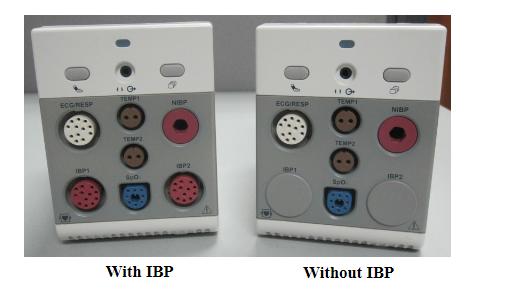
Note :For the multi-parameter module with 12 lead ECG function, a symbole (  ) will be printed on the left conner of the multi-parameter module.
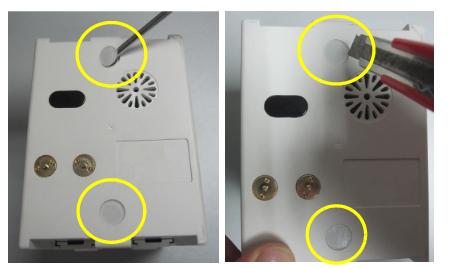
Remove the Rear Case
- Use a utility knife or flat-blade screwdriver to remove the two white plastic nuts on the back
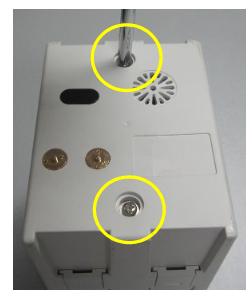
- Remove the two M3X8 screws and washers.
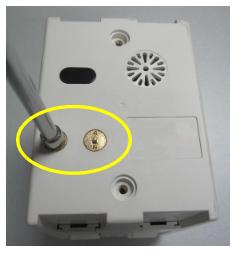
- Use the modular rivet wrench to remove the two rivets
- Carefully invert the MPM on a soft surface. Use a flat-blade screwdriver to pry off one end of the module rail
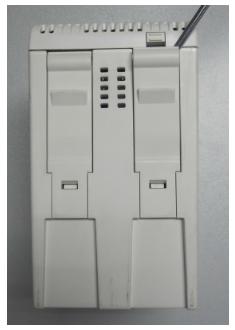
- Insert a second flat-blade screwdriver into the slot on the bottom
of the module rail to release the rail latch as shown.
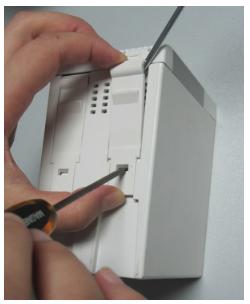
- Slide the module rails in the direction shown in the figure and remove the rails.
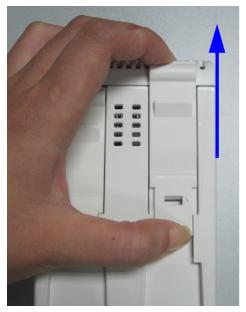
- Repeat steps 4 through 6 above to remove the second module rail. Remove the two M3x4 screws shown
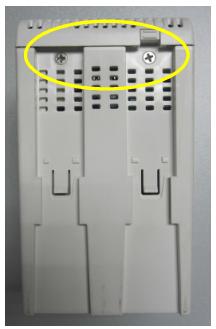
- Remove the rear case.
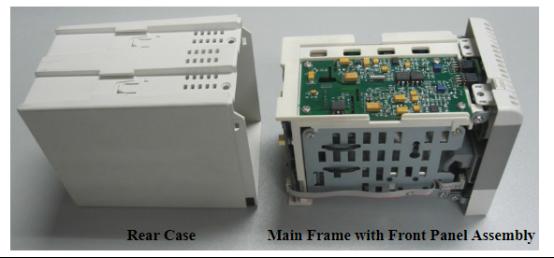
Separate Main Frame and Front Panel Assembly
- Remove the cable and two M3x6 screws from the right side of the front panel
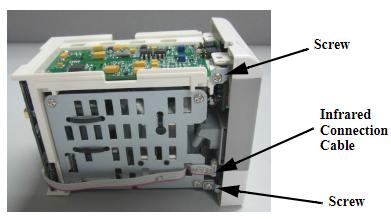
- Remove the two M3X6 screws on the left side of the front panel.
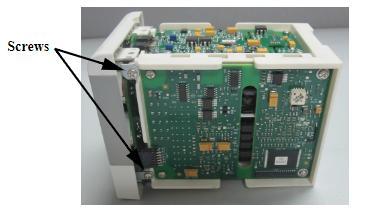
- Carefully remove the main body and screen assembly
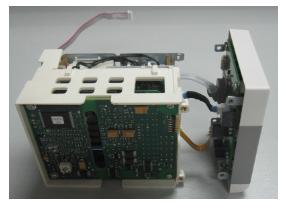
- Disconnect the SpO2 connector cable, the NIBP / TEMP connector cable (on the front panel), and the NIBP connector tube.
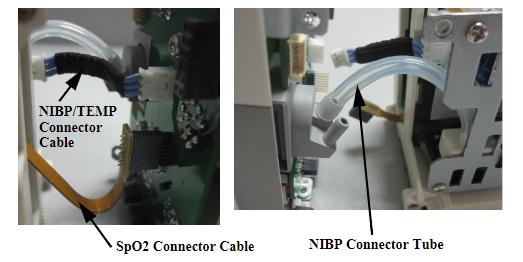
- Remove the main body and front panel
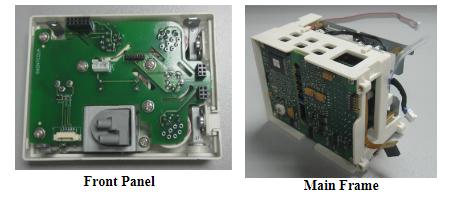
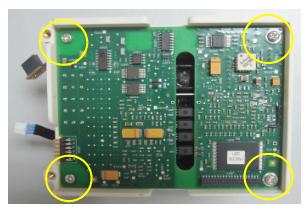
Remove the ECG Board
- Remove the four M3X6 screws
- Gently pull up the ECG board and remove the NIBP/TEMP connector cable (to ECG board).
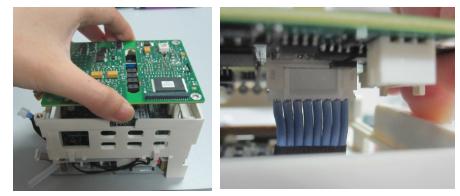
- Remove the ECG board.
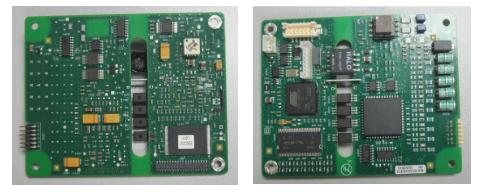
Remove the SpO2 Board
- Remove the SpO2 connector cable
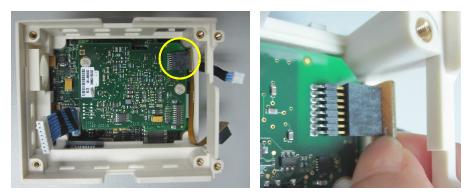
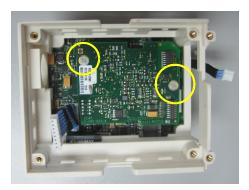
- Remove the two white plastic M3X6 screws.
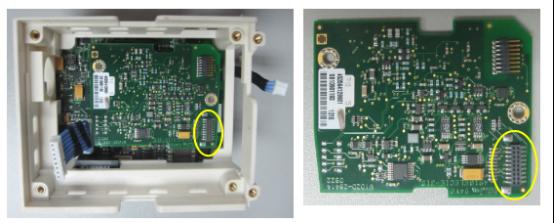
- Gently pull up the SpO2 board and remove it. Note the orientation of the board using the circled connector shown
If you're interested in PHiliphh Goldway Part No 865492 Multiparameter Module For G60 Modular Patient Monitor ,feel free to contact us .Thank you .
Get in Touch
Have questions about our products or want to discuss a custom order? Our team is ready to help you.