
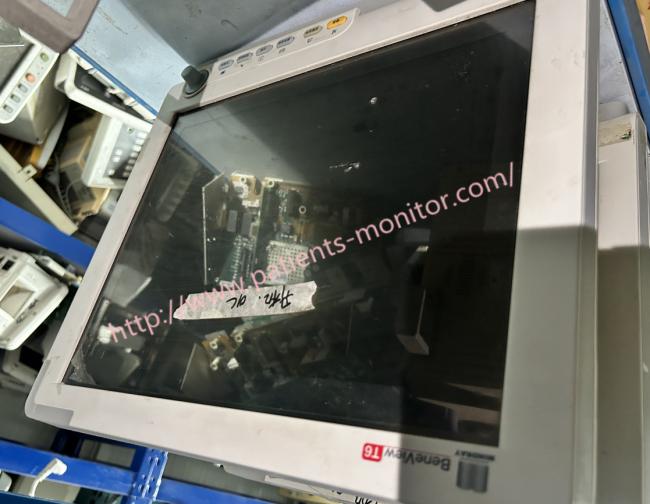
Mindray BeneView T6 Patient Bedside Monitor For Hospital Clinic
Mindray BeneView T6 Patient Bedside Monitor For Hospital Clinic
Mindray BeneView T6 patient monitor
This patient monitor is designed to monitor a fixed set of physiological parameters including ECG, heart rate (HR), respiration (Resp), temperature (Temp), SpO2 ,pulse rate (PR),non-invasive blood pressure (NIBP), invasive blood pressure (IBP), cardiac output (C.O.) carbon dioxide (CO2),oxygen (O2),anesthetic gas (AG), impedance cardiograph (ICG),bispectral index (BIS), respiration mechanics (RM), continuous cardiac output (PiCCO),central venous oxygen saturation (ScvO2),electroencephalograph (EEG), and neuromuscular transmission (NMT).
The patient monitor Features
l Provides audible and visual alarm indications in case of patient or equipment problems.
l Enables displaying, reviewing, storing and transferring of real-time data.
l Incorporates multiple input devices such as buttons, knob, touchscreen, keyboard and mouse.
l Interfaces a clinical information system or central monitoring system.
l Enables program upgrade over the network.
l Integrates the information of other devices, which include but are not restricted to anesthesia machine and ventilator
Specification
| Height | 15.7 In (40 cm) |
| Width | 14.6 In (37 cm) |
| Depth | 7.6 In (19.3 cm) |
| Weight | 21.6 lbs (9.8 kg) |
| Screen Type | Color TFT LCD |
| Screen Size (Diagonal) | 15 In |
| Resolution | 1280×1024 pixels |
|
Wireless Network Frequency Range
|
2.412 to 2.462GHz |
| Battery Type | Lithium-Ion |
| Voltage | 11.1 VDC |
| Capacity | 4500 mAh |
| Run time | 120 minutes when powered by two new fully-charged batteries (25 , ECG, SpO ℃ 2, Auto NIBP measurements at intervals of 15 minutes) |
Basic Operations
Turning Power On
1. Before beginning measurements, inspect the patient monitor, SMR, and plug-in modules for mechanical damage and ensure that all cables, connectors, and external accessories are properly connected.
2. Connect the power cord to an AC power source. If the patient monitor is battery powered, make sure the battery is fully charged. 3. Press the 3.power switch on the front of the monitor. The home screen appears, the technical light and the indicator light turn blue and yellow respectively. The alarm light will turn red and turn off along with the technical alarm light after the system beeps.
4. The monitor enters the home screen.
Starting Monitoring
1. Decide what measurements you want to make.
2. Connect the necessary modules, patient cables and sensors. Check that patient cables and sensors are properly connected.
3. Check that patient settings such as [Cat. Patient], [Stimulator], etc., suitable for the patient.
4. Details of the necessary measurements can be found in the appropriate measurement section
Disconnecting from Power
To disconnect the patient monitor from the power supply, follow these steps:
- Ensure patient observation is complete.
- Disconnect the patient cables and sensors from the patient.
- Be sure to backup or delete patient monitoring data if necessary. 4. 4.Press and hold the power button for more than 2 seconds. The patient monitor will turn off and you can unplug the power cord. If the patient monitor does not turn off properly, turn it off by pressing and holding the power button for 10 seconds.
Thank you so much for your attention .If you're interested in ,feel free to contact us .Thank you .
Get in Touch
Have questions about our products or want to discuss a custom order? Our team is ready to help you.