
GE B105 Bedside Patient Monitor Battery Cover Original New, Medical Equipment Spare Parts
Battery Cover for GE B105 Monitor
GE B105 Bedside Patient Monitor Battery Cover Original New
► Brief Description
GE B105 Bedside Patient Monitor Battery Cover is made of high-quality engineering plastic. It has good strength and toughness, can withstand a certain degree of external impact, and prevents easy damage during daily use, transportation or accidental collision. For example, when the monitor accidentally falls from a lower desktop, the battery cover can protect the battery and internal circuit from direct impact.
The surface of the battery cover has been specially treated to make it more textured, and it also increases the friction when holding it, making it easier for medical staff to open or close the battery cover. It effectively prevents surface scratches and wear, and keeps the appearance of the battery cover neat for a long time.
► Specification
| Brand | GE |
| Product Category | Monitoring |
| Product Type | Spare Parts |
| Product Name | Battery Cover |
| Machine Application | B105 |
| Condition | New Original |
| Warranty | 90 Days |
| Delivery Date | 3 - 5 Working Days |
| Package | Standard Export Packing |
| Payment Method | Western Union, Bank T/T, Paypal |
| Transportation | DHL, FedEx, UPS, TNT, EMS, By Air, etc. |
| In Stock | Yes |
| Price | Accept Negotiation |
| Color | White |
| Size | Small |
► Detailed Photos
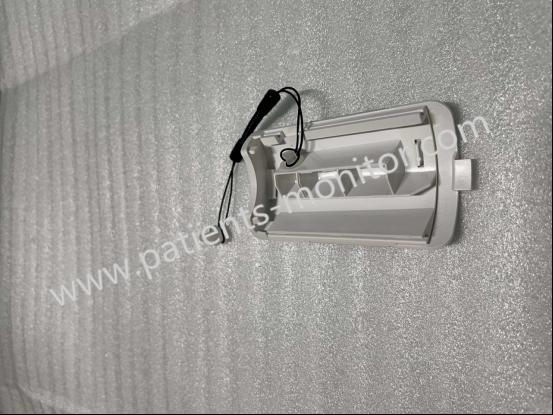
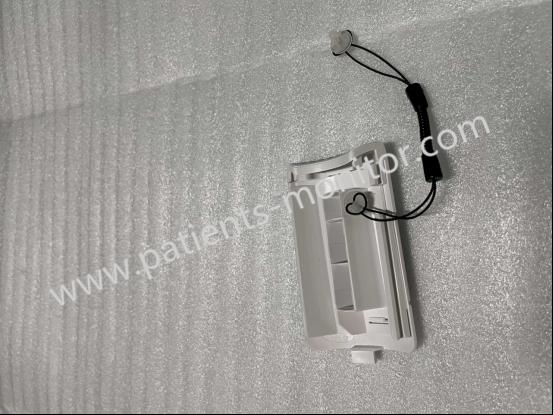
► Replacement
To replace the battery cover:
- 1. Find the opening point: Carefully observe the edge of the battery cover. There are usually one or more small grooves or protrusions. These places are the key parts to open the battery cover. The battery cover has a small finger position at the bottom for easy opening.
- 2. Open the battery cover: Insert your finger or a small flat tool (such as a plastic pry bar) into the groove or finger position, and gently pry or pull it outward. Be careful to apply force evenly to avoid excessive force that may damage the buckle. When you hear a slight "click" sound or feel the buckle loose, gradually separate the buckle along the edge of the battery cover until the battery cover is fully opened.
- 3. Install a new battery cover: When installing a new battery cover, first make sure that there is no debris or dust inside the battery cover and around the monitor's battery compartment. Then align the battery cover with the monitor's battery compartment so that the battery cover's buckle is aligned with the slot on the monitor. Gently press the battery cover, and a "click" sound indicates that the buckle is fastened, making sure that the battery cover is completely attached to the monitor surface.
Thanks for your interest in GE B105 Bedside Patient Monitor Battery Cover Original New, Medical Equipment Spare Parts, please feel free to contact me. Thank you for your time and wish you have a happy life.
Get in Touch
Have questions about our products or want to discuss a custom order? Our team is ready to help you.