
Mindray UMEC12 Patient Monitor Encoder 050-002011-00 Small Size Spare Parts For Medical Device Medical Equipment
Mindray UMEC12 Patient Monitor Encoder 050-002011-00 Small Size Spare Parts for Medical Device Medical Equipment
■ Product Describe
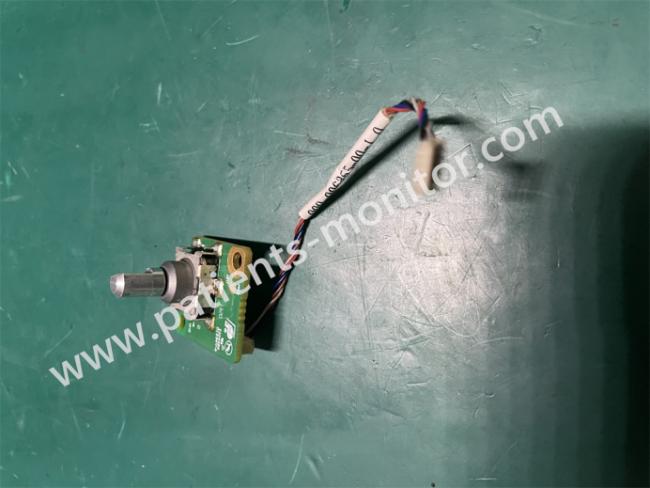
Mindray UMEC12 Patient Monitor Encoder 050-002011-00 is a small accessory for Mindray UMEC12 monitor. Its part number is 050-002011-00. It is the encoder of the main knob located on the front of the monitor. It comes with a cable to connect and communicate with the main board.
By rotating or pressing the external button, the signal is transmitted to the encoder, and the encoder converts the signal into a digital signal and transmits it to the main board. The main board executes the command, thereby realizing the interactive functions of the device such as menu navigation and parameter adjustment.
The button can mainly select the previous page or the next page by rotating left and right. After selecting the required option, press the knob to enter the page. The button can be changed to select different device functions, such as contrast, brightness, etc., and different patients can also be selected. The button has a single function and is very simple to operate, but it is used frequently and is an accessory with a high repurchase rate. If you need to purchase this accessory, please contact us CWT Technology HK Limited.
■ Product Picture
■ Function
1. Rotation selection
The user selects the previous or next interface by rotating left and right until the desired function (such as alarm limit, screen brightness, volume) is selected.
2. Press to confirm
The user presses the button to select the corresponding function and enter the next level page. It is a "confirmation" function (equivalent to the "Enter" key)
3. Long press function
You need to press for 2 seconds to trigger the quick operation (such as silent alarm, return to the main interface) to prevent accidental touch.
4. Fault feedback
The main control board detects abnormal encoder signals and triggers error prompts (such as "Control Knob Failure").
■ Products Parameters
| Product name | Encoder |
| Product model | 050-002011-00 |
| Operating voltage | DC 3.3V/5V (powered by the main control board) |
| Output signal | Quadrature pulse (A/B phase) + press switch signal |
| Rotation resolution | 24 PPR (pulse/turn) ±10% |
| Operating torque | 10-30mN·m (moderate damping to prevent false touch) |
| Interface type | 6-pin FPC cable connection (pitch 0.5mm) |
| Operating temperature | -10°C ~ 50°C |
| Size | Small |
| Weight | Light |
■ Notes on using accessories
1. Anti-static operation: The encoder circuit is sensitive. Please wear an anti-static wristband before directly touching the encoder to avoid damage.
2. Cable protection: When disconnecting the encoder cable from the motherboard, do not pull the cable. Just press the buckle lightly to detach.
3. Calibration: After replacing the encoder, please calibrate whether the encoder function is normal. Path: Settings → Maintenance → Control knob calibration
4. Cleaning and maintenance: Do not use alcohol to spray the button surface directly. The liquid will enter the encoder through the gap and damage the circuit, affecting the use of the encoder.
5. Dust and drop protection: Prevent dust from invading the rotating mechanism; prevent the front panel from hitting when the device is moving.
Get in Touch
Have questions about our products or want to discuss a custom order? Our team is ready to help you.