
Replacement Part - Goldway UT3000A Patient Monitor Printer Keypad Alarm Indicator Board CW3A2P01D-2
UT3000A Keypad Alarm Indicator Board
Replacement Part - Goldway UT3000A Patient Monitor Printer Keypad Alarm Indicator Board CW3A2P01D-2
► Brief Description
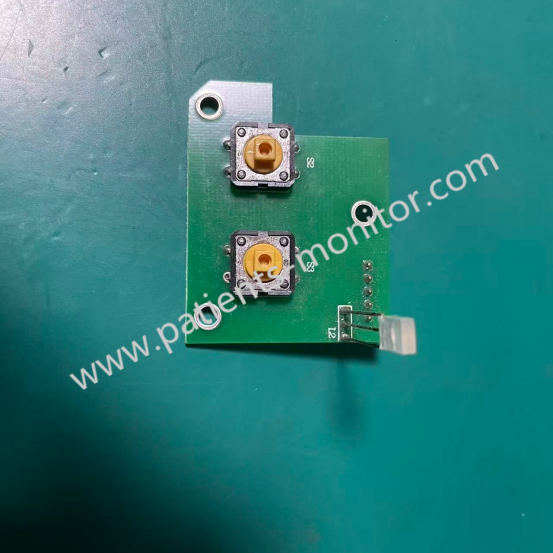
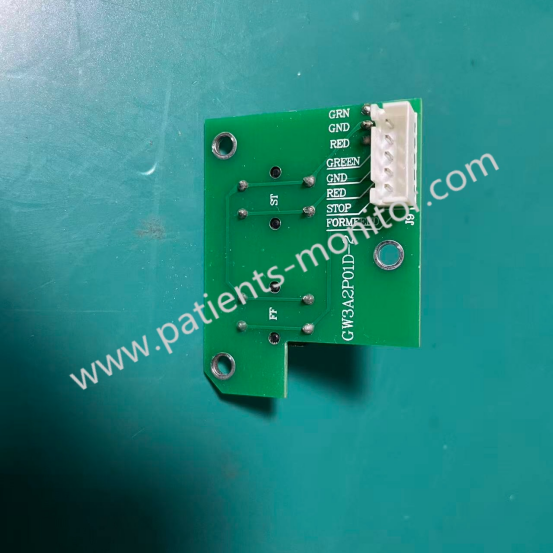
The stable operation of patient monitors is crucial in ward care, and the Printer Keypad Alarm Indicator Board CW3A2P01D-2 is one of the core components of this monitor. As a 100% compatible original component, it is not just a simple keyboard, but a multi-functional control panel integrating input control, status display, and audible and visual alarms, primarily compatible with the UT3000A patient monitor.
► Detailed Photos
► Function
The UT3000A Patient Monitor Printer Keypad Alarm Indicator Board CW3A2P01D-2 integrates high-brightness LED indicators that work in conjunction with the monitor's alarm logic to visually display the device status through color changes (e.g., red for critical, yellow for warning, and green for normal). When vital signs exceed preset ranges, the panel triggers a visual alarm, accompanied by a buzzer sound, ensuring medical staff can detect abnormalities immediately.
► Features
The UT3000A Patient Monitor Printer Keypad Alarm Indicator Board CW3A2P01D-2, as a key component of the device, possesses the following features:
1. Stable Signal Transmission: The internal circuit design adheres to stringent standards for medical devices, ensuring stable signal transmission and strong anti-interference capabilities.
2. Tactile Feedback: Optimized button travel provides clear tactile feedback, allowing for accurate operation even while wearing gloves.
3. Waterproof and Dustproof: A waterproof and dustproof keypad membrane effectively prevents bodily fluids or disinfectants from seeping into the machine and causing short circuits.
► Troubleshooting
If you suspect a problem with the Printer Keypad Alarm Indicator Board CW3A2P01D-2 on your UT3000A patient monitor, we suggest you try the following simple troubleshooting steps:
1. After powering on, observe whether all indicator lights on the panel are lit, partially lit, or constantly lit.
2. Test the responsiveness of each of the "Power," "Menu," and "Function Keys."
3. Check if the ribbon cable connectors are loose or oxidized.
Get in Touch
Have questions about our products or want to discuss a custom order? Our team is ready to help you.