
Biolight BLT Q5 Patient Monitor Battery Board Wiring 11-056-0012 KY-14030007
Battery Board Wiring for BLT Q5
Biolight BLT Q5 Patient Monitor Battery Board Wiring 11-056-0012 KY-14030007
► Brief Description
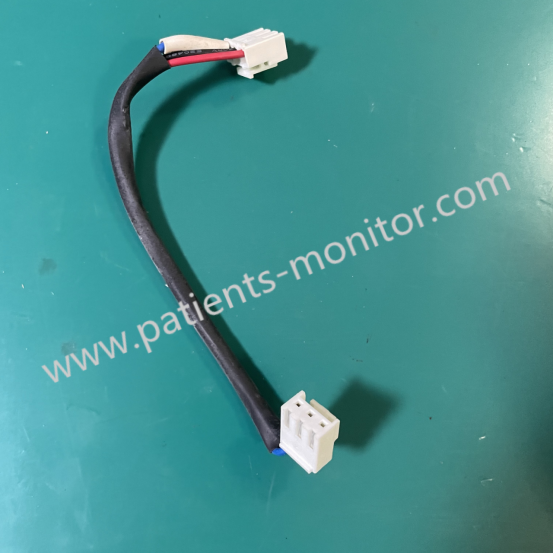
One of the core components of the Biolight Q5 Patient Monitor, the Battery Board Wiring 11-056-0012, directly affects the device's battery life and power supply stability. It primarily connects the motherboard to the battery pack, handling power transmission and battery status signal feedback. This cable typically uses FPC (Flexible Printed Circuit) technology, offering high flexibility and interference resistance. One end connects to the device's internal power management module, while the other end connects to the battery pack's positive and negative terminals and the temperature sensor (NTC) to ensure charging safety.
► Detailed Photos
► Design
The Biolight BLT Q5 Patient Monitor Battery Board Wiring 11-056-0012 KY-14030007 is designed to carry low-voltage DC power for patient monitors and features overcurrent protection. The cable uses tin-plated oxygen-free copper conductors internally to reduce resistance and heat generation. An external insulation layer and polyimide (PI) cover film provide high-temperature resistance, making it suitable for the demanding operating environments of medical devices.
► Removing
If your Biolight BLT Q5 Patient Monitor is experiencing the following issues, and you suspect it's a problem with Battery Board Wiring 11-056-0012, we suggest you try the following methods:
1. Symptom: Device cannot charge
Possible Cause: Internal breakage of the ribbon cable or oxidation of the connector
Solution: Check if the connector pins are bent; if the wire core is broken, it is recommended to replace the ribbon cable directly.
2. Symptom: Abnormal battery level display
Possible Cause: Poor contact of the signal feedback line
Solution: Reconnect both ends of the connector, ensuring the latches are locked; clean the surface.
3. Symptom: Device automatically shuts down
Possible Cause: Unstable power supply or loose connection
Solution: Check if the ribbon cable is damaged or shows signs of compression; replace it with a different ribbon cable.
Get in Touch
Have questions about our products or want to discuss a custom order? Our team is ready to help you.