
Original PHiliph UT3000A Keyboard PCB Board M-4A2K01B - Tested & Ready for Repair (Salvaged)
Original PHiliph UT3000A Keyboard PCB Board M-4A2K01B - Tested & Ready for Repair (Salvaged)
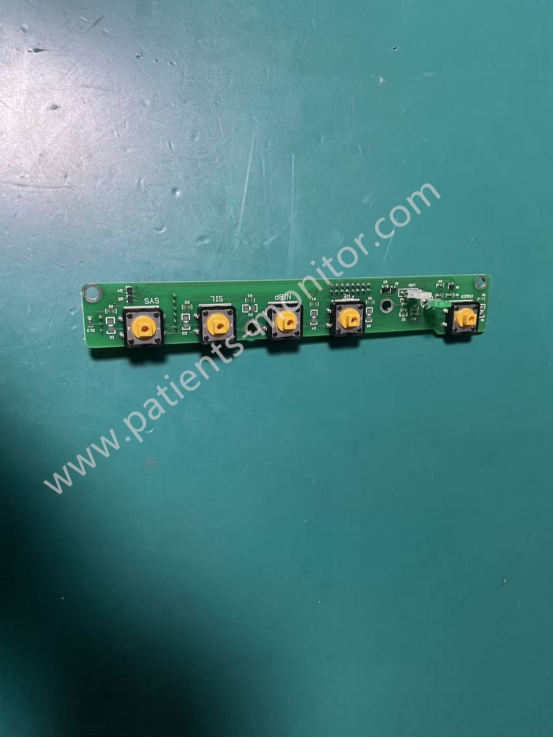
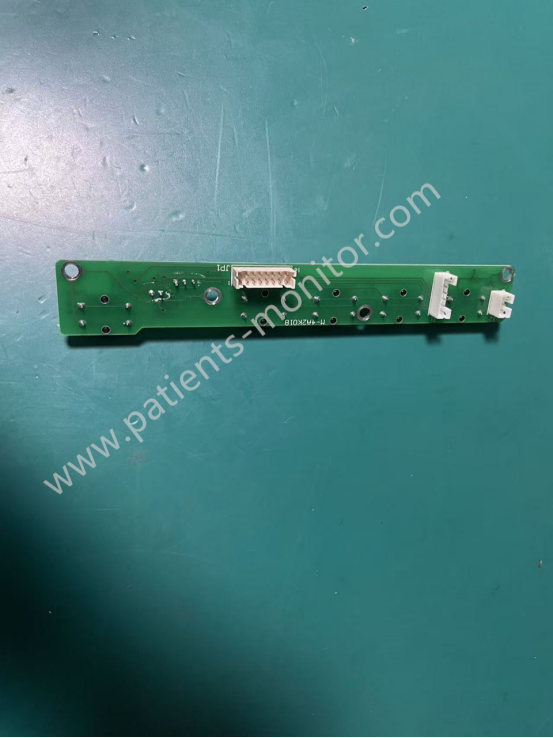
This is one of the original accessories for the PHiliph UT3000A monitor, specifically the keyboard board model M-4A2K01B. It's a salvaged keyboard board, thoroughly tested by professional engineers, and proven to perform well. It can be used as a replacement part during repairs at a lower price. If you are interested, please contact us for a discounted quote.
The PHiliph UT3000A monitor keyboard M-4A2K01B is installed directly below the front frame of the monitor. It has five sensor points corresponding to five buttons on the front of the device: print control, start/pause monitoring, menu settings, and mute alarm. The keyboard board can receive external pressure signals and transmit them to the mainboard to achieve the corresponding function settings. The PHiliph UT3000A monitor keyboard M-4A2K01B is one of the core components enabling the device's human-machine interface.
-
1. Signal Processing and Transmission: The keyboard M-4A2K01B receives pressure signals from external buttons, amplifies and filters the signals, and then transmits them to the mainboard of the PHiliph UT3000A monitor to achieve relevant function settings.
2. Monitoring Parameter Configuration: The keyboard M-4A2K01B allows setting relevant parameters of the monitor, such as alarm thresholds and monitoring duration, according to the device's functions.
3. Data Management Operation: The keyboard M-4A2K01B can store, retrieve, and mark monitoring data (e.g., marking fetal movement times), and link it to the UT3000A's display to show historical data.
4. Print Control: After the keypad transmits the print start/pause signal to the mainboard, the mainboard controls the printer module below the UT3000A, thereby driving the printer to print relevant waveforms and monitoring data.
5. Mode Switching
The UT3000A's monitoring modes (such as "Routine Monitoring" and "Fetal Movement Monitoring") can be switched with a single click to adapt to different clinical scenarios.
|
Product name |
keyboard |
|
Model |
M-4A2K01B |
|
Condition |
Used, but good working |
|
Warranty |
90 days |
|
Size |
Small |
|
Weight |
About 50g |
|
Shipping by |
DHL/FedEx/UPS/Etc.. |
|
Color |
Green |
|
MOQ |
1PC |
Q1: The buttons on the UT3000A monitor are unresponsive. Is it a button board malfunction?
A1: It's not necessarily a button board malfunction. It could be a communication failure between the button board and the main unit, causing the button board to not respond to transmitted information. For specific troubleshooting steps, please contact our sales staff. We have professional engineers to answer your questions.
Q2: Why is there a delay in triggering commands after pressing the buttons?
A2: This is usually due to oxidation of the button contacts, leading to poor contact. Disassemble the button board after powering off and wipe the contacts with alcohol. If the delay persists after cleaning, the button board needs to be replaced.
Q3: How do I replace the button board?
A3: First, power off the device. Wait at least 10 minutes after powering off before starting the replacement process. The first step is to remove the front frame of the device. During the removal process, be careful not to pull too hard to avoid loosening the cables. After removing the front frame, you can start removing the button panel. Pay attention to the positioning so that you can install the new button panel later. Be careful to remove it gently. After removing it, reinstall the new button panel one-to-one and then install the front frame. Finally, check and test whether the button panel is responsive.
| Payment Methods | Bank Transfer / PayPal / Western Union |
|---|---|
| Shipping Methods | DHL / FedEx |
Get in Touch
Have questions about our products or want to discuss a custom order? Our team is ready to help you.