
BLT Biolight Q5 Patient Monitor Battery Compartment White Plastic battery case for medical device
BLT Biolight Q5 Patient Monitor Battery Compartment White Plastic battery case for medical device
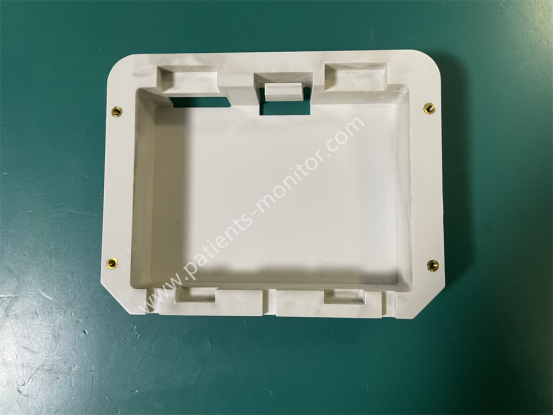
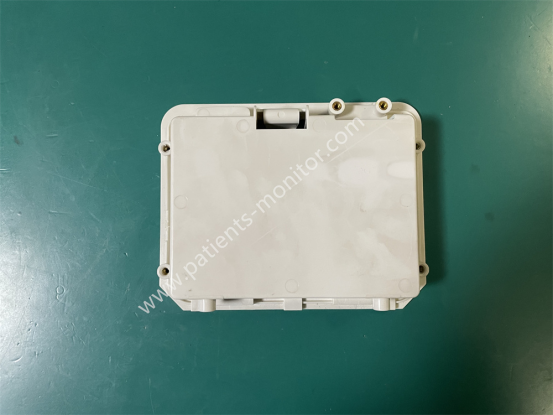
The BLT Q5 Patient Monitor Battery Compartment is a white plastic casing. It's the original battery compartment for the BLT Q5 patient monitor, made using a specific mold to precisely measure the original battery size. This ensures the battery stays securely in place, preventing power loss due to battery loosening during device movement. There are four screw holes on the side of the battery compartment, indicating it's secured with screws; these screws have been removed. This used white plastic battery compartment shows minimal signs of wear, indicating it's in relatively good condition and recommended for purchase.
1. Secure Battery: The battery compartment is custom-made to a 1:1 scale with the original BLT Q5 Monitor battery, ensuring a precise fit and preventing battery shifting during device movement.
2. Protect Battery: The battery compartment protects the battery from impacts and damage during device movement, extending battery life.
3. Power Supply Connection: The battery electrodes precisely connect with the metal contacts inside the battery compartment, transmitting battery power to the host power management module for offline power supply.
4. Status Signal Transmission: A low-battery detection contact inside the battery compartment sends the remaining battery power signal back to the host, triggering a "low battery alarm."
|
Product name |
Battery Compartment |
|
Compatible machine |
BLT Q5 |
|
Material |
ABS |
|
Color |
White |
|
MOQ |
1 piece |
|
Warranty |
90 days |
|
Condition |
Used, original |
|
Installation method |
Screw fixing |
Installing the Battery
The battery compartment is located at the bottom of the monitor. Please follow these steps to install or charge the battery:
1. Turn off the monitor and disconnect the power cord and other cables.
2. Open the battery compartment cover according to the markings on it.
3. Remove the old battery.
4. Insert the new battery according to the markings.
5. Close the battery compartment cover.
6. Turn on the device to check if the battery is providing power.
Equipment Cleaning
Keep the BLT Q5 Patient Monitor and its battery compartment clean, avoiding dust and dirt. To prevent damage to the device and its accessories, please follow these cleaning guidelines:
1. Always dilute the cleaning solution according to the manufacturer's instructions, or use the lowest possible concentration.
2. Do not immerse any part of the BLT Q5 Patient Monitor in liquid.
3. Do not pour liquid onto the device or battery compartment.
4. Do not allow liquid to enter the chassis.
5. Never use materials that may damage the casing (such as steel wool).
| Payment Methods | Bank Transfer / PayPal / Western Union |
|---|---|
| Shipping Methods | DHL / FedEx |
Get in Touch
Have questions about our products or want to discuss a custom order? Our team is ready to help you.