
Mindray Datascope Passport 2 Monitor Printer 600-2300-14 0683-00-0501-01 For Patient Device Data Output
Mindray Datascope Passport 2 Monitor Printer 600-2300-14 0683-00-0501-01 For Patient Device Data Output
Printer Overview:
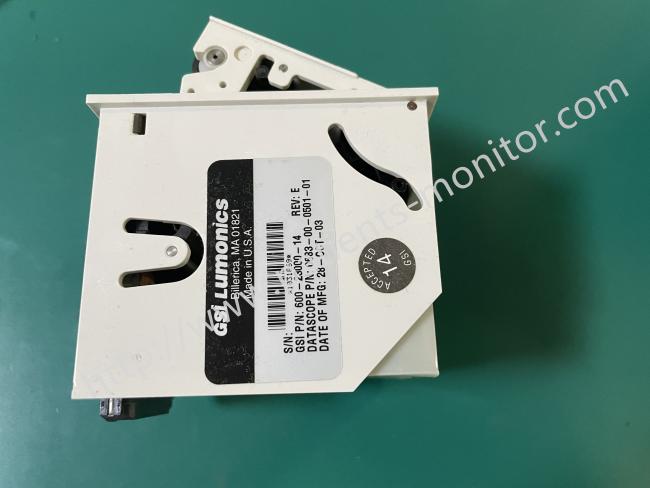
This is a built-in thermal printer designed specifically for the Mindray Datascope Passport 2 patient monitor, with part numbers 600-2300-14 and 0683-00-0501-011. Manufactured by GSI Lumonics, Inc. (USA), it features a compact white modular design that integrates the printing mechanism and control circuit board into a single unit.
The component is precisely sized to fit perfectly into the monitor's dedicated printing module slot, allowing for direct installation without an additional adapter. When tightly integrated with the monitor, it performs a crucial clinical function: converting dynamically changing waveforms and numerical data on the screen into paper records. These records can be permanently archived, signed by medical staff, or attached to patient records.
As a thermal printer, it has a built-in paper roll and supports up to two print lines, with the number of print lines fully customizable by the user. It is compatible with standard white thermal paper with a width of 5 cm and offers five adjustable paper output speeds: 3.125, 6.25, 12.5, 25 and 50 mm/s.
Advantages:
1. Excellent compatibility: Fully compatible with the Passport 2 monitor's system and interface; plug and play, no additional adjustments required.
2. Stable operation: The internal control circuit board and printing mechanism are designed to be compatible, minimizing paper jams and print breaks, ensuring worry-free daily use.
3. Clear printing: Medical-grade printing precision ensures clear printing of critical information such as ECG waveforms and values, meeting the accuracy requirements of clinical records.
About the print button:
1. PRINT STRIP
This key starts a 16‑second printout of selected waveforms on the built‑in printer. To stop printing while it is in progress, press the key again.
When a View 12″ ECG Analysis Module is installed:
Press the VIEW key.
Press the STRIP key to generate a 12‑lead interpretive report.
The report will print either on the internal recorder or on a connected laser printer.
If the print destination is set to a remote Central Station, pressing this key will instead initiate the printout there.
2. PRINT CONT ECG
Pressing this key begins continuous ECG 1 & 2 waveform printing on the internal printer.
To stop printing, press the key again during the print operation.
3.PRINT TREND
Press this key to print the desired trend data. By default, the monitor will output its stored trend information to the internal printer.
To cancel a print in progress, press the key again.
If the print destination is configured as a remote Central Station, pressing this key will send the trend report to be printed there.
Recorder Messages (only units equipped with recorder):
| MESSAG | EREASON | ACTION |
| Local Printer Door Open | The door of the printer is not closed. | Close the printer door. |
| Local Printer Out Of Paper |
The roll of printer paper is used up. | Replace with a new roll of paper. |
| Printer Busy | Printer received multiple print requests at one time. |
Wait until the printer is not busy. |
| Local Printer Unable To Print | The system has detected an unrecoverable printer failure. | Power cycle unit. If messagereappears, call Mindray DS Service. |
Usage Precautions:
1. Use Genuine Consumables: Always use the recommended specification of medical thermal paper. Inferior paper may have uneven coating, leading to blurry prints, rapid fading, or even damage to the print head due to debris or adhesive residue.
2. Load Paper Correctly: When loading the paper roll, ensure the paper passes flat under the print head and slightly protrudes beyond the paper output tray to avoid paper jams.
3. Keep Clean: Follow the instructions in the equipment maintenance manual and have an engineer clean the print head regularly using specialized tools to prevent carbon buildup from affecting print quality.
4. Avoid Physical Damage: Never touch the thermal elements of the print head with your hands or hard objects.
5. Beware of Abnormalities: If incomplete printing, completely white pages, severe streaks, or abnormal sounds occur, stop using the device and report it for repair.
Get in Touch
Have questions about our products or want to discuss a custom order? Our team is ready to help you.