
Biocare iM12 Patient Monitor Alarm Indicator Lamp Board 02043019A - Used with Good Condition Replacement Part
Alarm Indicator Board for Biocare iM12
Biocare iM12 Patient Monitor Alarm Indicator Lamp Board 02043019A
► Brief Description
The Biocare iM12 monitor is designed for real-time monitoring and timely alerts in case of problems. When the monitor detects changes in the animal's vital signs or experiences a mechanical malfunction causing monitoring issues, an alarm will alert medical personnel with both sound and light. If the device is connected to a central monitoring station, the alarm will also be issued there.
Alarm types are mainly divided into physiological alarms and technical alarms, with three alarm levels: high, medium, and low.
- Physiological alarms: Alarms triggered when certain physiological parameters exceed the normal range.
- Technical alarms: Alarms triggered when one or more monitoring functions malfunction, or when measurement results are distorted due to system or sensor failure.
► Alarm Indicator
1. Physiological Alarm Indicator
- High-frequency flashing red: High-level alarm.
- Low-frequency flashing yellow: Medium-level alarm.
- Solid yellow (no flashing): Low-level alarm.
- Off: No physiological alarm.
2. Technical Alarm Indicator
This indicator is blue, indicating two situations:
- Solid on: Technical alarm.
- Off: No technical alarm.
► Detailed Photos
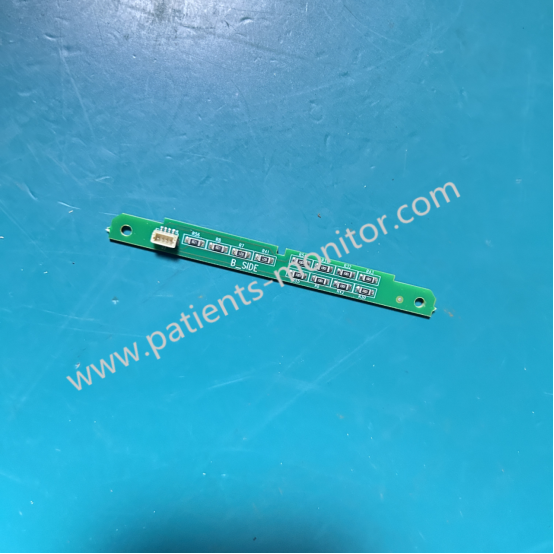
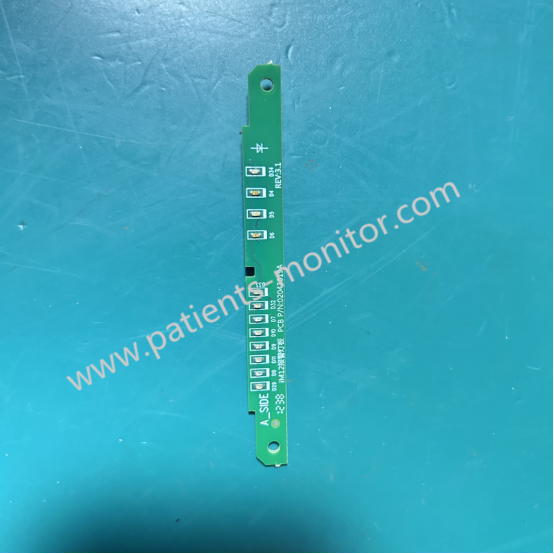
► Alarm Setup
- Alarm Volume Setup
Select [Main Menu]-[Alarm Setup] or directly click the shortcut key [Alarm Setup] on the screen:
Select [Global Alarm]-[Alarm Volume]: x-10, x being the minimum value on the setting of the lowest alarm volume.0 means volume off and 10 means the maximum volume.
- Alarm Delay Setup
Alarm delay time can be set for overrunning alarms of continuous measure parameters. The monitor won‘t warn when the triggering conditions are not existent or disappear within the preset delay time.
Select [Main Menu]-[Alarm Setup] or directly click the shortcut key [Alarm Setup] on the screen:
Select [Global]-[Alarm Delay]: Off, 1s, 2s, 3s, 4s, 5s, 6s, 7s and 8s.
- ST Alarm Delay Setup
Select [Main Menu]-[Alarm Setup] or directly click the shortcut key [Alarm Setup] on the screen:
Select [Global]-[ST Alarm Delay]: Off, 30s, 45s, 60s, 75s, 90s, 105s, 120s, 135s, 150s, 165s and 180s.
- Alarm Limit Display Setup
Select [Main Menu]-[Alarm Setup] or directly click the shortcut key [Alarm Setup] on the screen:
Select [Global], select [Limit Display]: On or Off. When On is selected, the upper and lower limits of the parameter are displayed on the main screen Parameter Region, when Off is selected, the upper and lower limits are not displayed in the Parameter Region.
Get in Touch
Have questions about our products or want to discuss a custom order? Our team is ready to help you.