
Biocare ECG-1210 ECG Machine Display Front Cover Replacement Bezel with Protective Lens for Medical Device Screen
Biocare ECG-1210 ECG Machine Display Front Cover Replacement Bezel with Protective Lens for Medical Device Screen
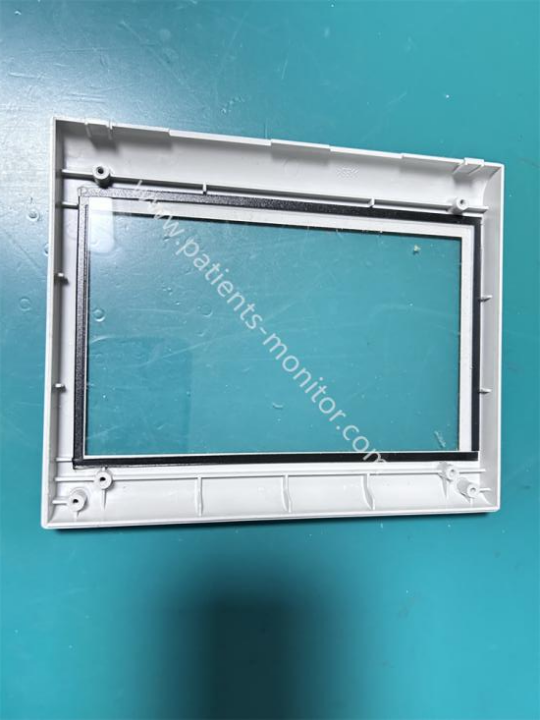
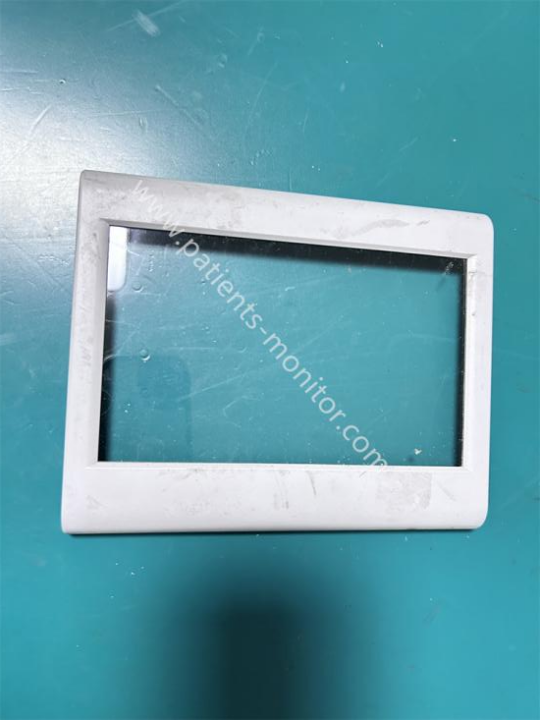
This is the original front cover for the ECG-1210 electrocardiograph. The front cover features a transparent window in the center, surrounded by a light gray plastic frame. It uses an embedded structure, with clips and screw holes on the back precisely fitting the screen mounting position on the ECG-1210 body. The transparent window is also surrounded by a black sponge sealing strip for dust prevention and cushioning, protecting the internal display screen from scratches. The front cover surface is smooth and burr-free, made of engineering plastics, making it not only sturdy and durable but also highly flame-retardant and corrosion-resistant, suitable for use in environments requiring frequent sterilization, such as hospitals.
functions & Advantages
1. Screen Protection
The high-transparency glass window of the front cover blocks dust, liquids, and external impacts, protecting the display screen from scratches or collisions.
2. Dustproof Sealing
The sponge sealing strip on the inner side of the front cover frame effectively isolates some dust and moisture, preventing moisture or dust accumulation in the internal circuitry, providing a sealing effect.
3. Structural Positioning
The clips and screw holes on the back precisely secure the display screen, preventing screen displacement or shaking.
4. Seamless Integration
The front cover of the display screen fits seamlessly with the body, maintaining the overall integrity and professional look of the device.
|
Product Name |
Display Front Cover |
|
Machine model |
ECG-1210 |
|
Material |
ABS Plastic |
|
Color |
White |
|
Condition |
Working well |
|
Warranty |
90 days |
|
Weight |
About 50g |
|
Delivery |
By DHL,FedEx etc |
|
Shipping time |
7-15 days |
Installation and Routine Maintenance
(I) Installation Steps
1. First, disconnect the power to the device, remove the front cover fixing screws, and remove the front cover.
2. Unscrew the fixing screws of the old display front cover, carefully remove the front cover, and avoid pulling on the sealing strip.
3. Align the sponge sealing strip of the new front cover with the inside of the frame, insert the positioning clips, and tighten the fixing screws.
4. Check that the front cover is flush with the body, without looseness or gaps.
(II) Routine Maintenance
1. Regularly wipe the surface of the display window with a dry, soft cloth. Avoid using corrosive liquids such as alcohol to clean the glass.
2. Check the frame screws and clips every 3 months to ensure the front cover is securely installed.
3. If the sealing strip ages or falls off, replace the display front cover promptly to ensure dust protection.
4. During daily use, avoid violent impacts to prevent frame cracking or window breakage.
| Payment Methods | Bank Transfer / PayPal / Western Union |
|---|---|
| Shipping Methods | DHL / FedEx |
Get in Touch
Have questions about our products or want to discuss a custom order? Our team is ready to help you.