
ABS Plastic Biocare iM12 Patient Monitor Battery Cover Clip - Medical Replacement Part
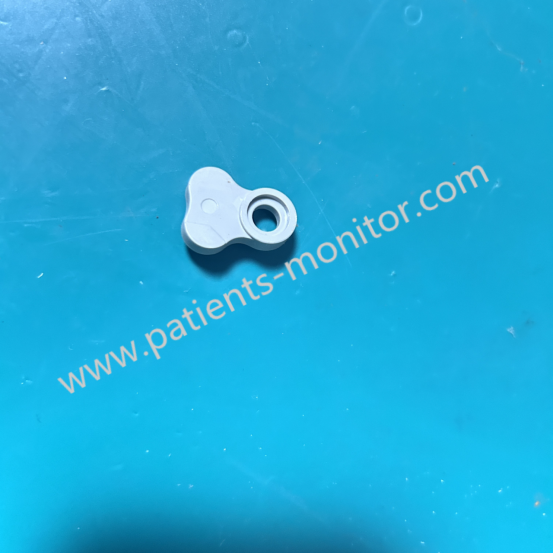
Battery Cover Clip for iM12 Monitor
ABS Plastic Biocare iM12 Patient Monitor Battery Cover Clip - Medical Replacement Part
► Brief Description
For the iM12 patient monitor, the battery cover latch ensures the battery is securely held in place during device operation, preventing accidental dislodgement, while also allowing for easy removal. Made of high-strength engineering plastic, it is an integrated design with the battery cover. It possesses a certain degree of flexibility, capable of withstanding repeated pressure and deformation. The latch is located on one side of the battery cover; a "click" sound indicates it is locked when the protruding part of the latch engages with the groove in the device body.
► Detailed Photos
► Operation
Opening:
1. Locate the latch on the battery cover.
2. Press the latch inward with your thumb, applying moderate pressure to deform it and disengage it from the locking slot on the device.
3. While pressing the latch, gently push or pull the battery cover outward with your other hand to remove it.
Closing:
1. Align the battery cover with the slot on the device.
2. Press the battery cover evenly until you hear a crisp "click" or feel the latch return to its locked position. Do not press only the edge of the latch, as uneven pressure may cause it to break.
► Note
To protect the battery cover and clips of the Biocare iM12 Patient Monitor from damage, please pay attention to the following points when operating it:
1. Be careful with force: Although the clips are flexible, do not pry them open excessively. If the clips feel stiff, do not forcefully remove them to avoid breakage.
2. Prevent slipping and oil: Ensure your fingers and the clip surfaces are dry and free of oil. Wet and slippery surfaces will reduce friction, making it easy for fingernails to slip and scratch the device or your fingers.
3. Troubleshooting: If the clips malfunction, do not use non-standard methods such as tape to secure them, as this may cause the battery to loosen, leading to poor contact or a short circuit.
► FAQ
1.Are there additional tests for the compatibility of low‑temperature environment components?
Yes. We conduct tests on the functional stability and interface compatibility of these components under low‑temperature conditions to ensure they meet the requirements for low‑temperature operation.
2.Can we provide compatibility training for accessories and equipment?
Yes. For bulk order customers, we offer free compatibility training to help your employees understand how to match accessories with equipment.
3.Is there an online or offline option for compatibility training?
Yes. We offer either online video training or in‑person training sessions, allowing you to choose the method that best suits your needs.
4.Can we provide an on‑site demonstration of accessory and equipment compatibility testing?
Yes. For large batch orders, we can arrange an on‑site demonstration to visually showcase the compatibility of accessories and equipment.
5.Is advance reservation required for the on‑site demonstration?
Yes. Please book 3–5 working days in advance, and we will arrange for professional technicians to prepare the demonstration equipment and accessories.


90 Day Warranty SGS ceryification
Get in Touch
Have questions about our products or want to discuss a custom order? Our team is ready to help you.