
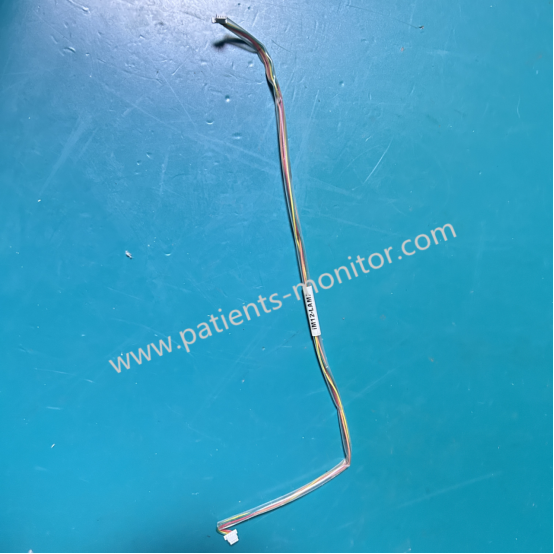
Biocare iM12 Patient Monitor Alarm Indicator Board Connection Cable Wiring iM12-LAMP
Biocare iM12-LAMP Cable
Biocare iM12 Patient Monitor Alarm Indicator Board Connection Cable Wiring iM12-LAMP
► Brief Description
The iM12-LAMP Alarm Indicator Board Connection Cable Wiring component acts as a crucial signal "transmitter" in alarm indication feedback. It transmits information from the device or detected anomalies via the main board and indicator light signal board, ultimately displaying them visually in different colors. This provides a simple and clear way for users to pay attention to any abnormal conditions of the device and the patient.
Part Number: iM12-LAMP
Compatibility: Biocare iM12 Patient Monitor
Function: Connects Main Board to Alarm Indicator Board
Condition: New / Original
► Alarm Indicator
A crucial component of the Biocare iM12 patient monitor is its alarm indicator lights. These lights use different colors to indicate device malfunctions or to promptly alert the user when patient parameters exceed preset values. Below are the different meanings represented by each light:
- Physiological Alarm Indicator Lights:
- High-frequency flashing red: High-level alarm.
- Low-frequency flashing yellow: Medium-level alarm.
- Solid yellow (no flashing): Low-level alarm.
- No light: No physiological alarm.
- Technical alarm indicator light (this indicator light is blue, indicating two situations):
- Solid on: A technical alarm has occurred.
- Off: No technical alarm has occurred.
► Alarm Detection and Counter Measures
The Biocare iM12 monitor performs an alarm self-test upon startup. During this time, the technical alarm light and the blue/yellow alarm light will illuminate simultaneously and then extinguish together after a loud "bang." This indicates that the audible and visual alarm indicators are functioning correctly.
However, if the monitor issues an alarm, it may indicate an abnormality. Please refer to the following steps to check for abnormalities:
1. Check the patient's actual clinical condition.
2. Confirm the type and parameters of the current alarm.
3. Identify the cause of the alarm.
4. Address the cause of the alarm.
5. Check if the alarm has disappeared.
Thanks for your interest in Biocare iM12 Patient Monitor Alarm Indicator Board Connection Cable Wiring iM12-LAMP, please feel free to contact me. Thank you for your time and wish you have a happy life.
Get in Touch
Have questions about our products or want to discuss a custom order? Our team is ready to help you.