
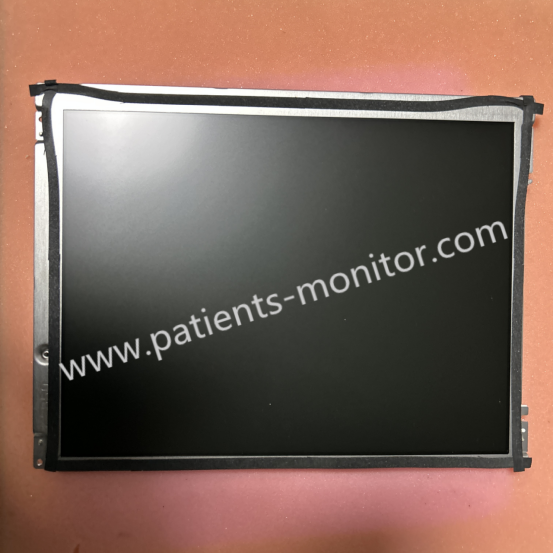
Biocare iM12 Patient Monitor Color TFT LCD Display LQ121S1LG55 - Replacement Part for Maintenance
Display for iM12 Monitor
Biocare iM12 Patient Monitor Color TFT LCD Display LQ121S1LG55 - Replacement Part for Maintenance
► Brief Description
The Biocare iM12 Patient Monitor features a 12.1-inch TFT high-resolution color display. Its primary function is to transmit and display the monitored patient physiological parameters, providing clinicians with a clear and intuitive interface for monitoring these parameters. This allows users to monitor the patient's condition at any time and make timely clinical judgments and decisions based on the monitoring data.
► Specification
|
Type |
TFT LCD Screen |
|
Dimensions |
12.1 inches |
|
Resolution |
800×600 pixels |
|
Screen Brightness |
10-level, adjustable |
|
LCD View Angle |
Horizontal / vertical view angle at least 150°/120° |
|
Model |
LQ121S1LG55 |
|
Machine Application |
iM12 |
|
Usage |
Reusable |
► Feature
- High-definition display with clear details: The 12.1-inch screen boasts a high resolution of 800x600, clearly displaying various physiological waveforms such as ECG, blood oxygenation, and respiration in true color. Its high-brightness design ensures clear visibility of screen content under various lighting conditions.
- Flexible interface with rich information: The Biocare iM12 supports multiple user interface modes, allowing for personalized settings based on the usage habits of different departments and medical staff. It also supports full-screen ECG and respiratory oxygenation charts, meeting diverse clinical monitoring needs.
- Convenient operation and improved efficiency: The Biocare iM12's display integrates touch functionality, allowing users to quickly complete parameter settings, waveform freezes, and historical data playback through intuitive touch operations, greatly improving work efficiency.
► Replace the Display
1. Always disconnect the monitor's power and remove the battery to prevent short circuits. Prepare an anti-static wrist strap and specialized disassembly tools.
2. Remove the screws securing the outer casing and detach the handle. Carefully remove the side cover to expose the internal structure.
3. Locate the display screen connector, gently lift the latch, and pull out the flexible cable. Support the screen during this process to avoid damaging the fragile cable.
4. Align the new display screen cable with the connector and gently push it all the way in, then snap the latch back on. Reassemble the side cover, handle, and base in reverse order.
5. Connect the power supply and power on the monitor to check if the image display is normal.
Note: Replacement/repair operations should be performed by a professional engineer to avoid damaging the equipment.
Get in Touch
Have questions about our products or want to discuss a custom order? Our team is ready to help you.