
EDAN F2 F3 Fetal Monitor Printer Cover Power Switch Board 21.53.114408 - Replacement Medical Equipment Part
Switch Board for EDAN F2 F3
EDAN F2 F3 Fetal Monitor Printer Cover Power Switch Board 21.53.114408 - Replacement Medical Equipment Part
► Brief Description
The Edan F2 and F3 are both outstanding devices in modern medical environments, capable of real-time monitoring of fetal heart rate and uterine contraction pressure, providing crucial protection for maternal and infant safety. Furthermore, their stability, ease of use, and cost-effectiveness have led to their widespread application in medical institutions at all levels. Although the printer cover switch board may seem like a small, inconspicuous component, it is actually a miniature circuit board connecting the fetal monitor main unit and the printer cover, playing a vital role in the device.
► Detailed Photos
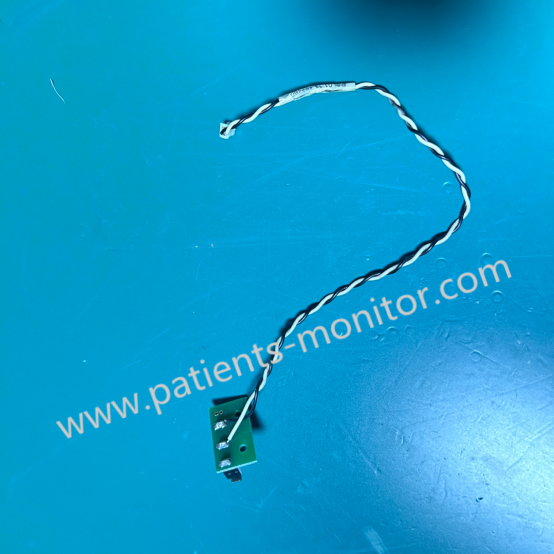
► Function
The printer cover switch circuit board of the EDAN F2 F3 Fetal Monitor primarily covers the following functions:
1. When the printer cover is opened or closed, the switch board immediately detects this mechanical action and sends a signal back to the fetal monitor's main control system. This is the basis for implementing safety functions such as "cover open stop" or "paper out detection."
2. The switch board ensures that the device will only start the printing program when the printer cover is correctly closed and the paper is properly loaded, preventing paper jams or printing failures due to paper shortages or an improperly closed cover.
3. If the printer cover is accidentally opened during printing, the switch board will quickly cut off the power to the printer motor or pause the printing task to prevent damage to internal mechanical components and protect the operator's safety.
► Troublesshooting
- Switch Malfunction: The printer lid is closed, but the device still displays "Out of Paper" or "Lid Not Closed," preventing printing. This is usually caused by oxidation of the microswitch contacts, spring fatigue, or loose solder joints on the circuit board.
Solution: Regularly wipe the printer lid and interior with a clean, soft cloth to prevent dust and paper scraps from affecting switch operation.
- Poor Contact: Frequent opening and closing of the printer lid may cause wear or loosening of the ribbon cable or interface connecting the switch board, leading to unstable signal transmission.
Solution: Open and close the printer lid gently to avoid damaging the switch or latches.
- Jagged: The printer lid latches or the switch board's trigger mechanism may become stuck due to dust accumulation or foreign objects, affecting normal operation.
Solution: If a switch board malfunction is detected, contact a professional repair technician immediately for replacement to prevent further equipment damage.
Get in Touch
Have questions about our products or want to discuss a custom order? Our team is ready to help you.