
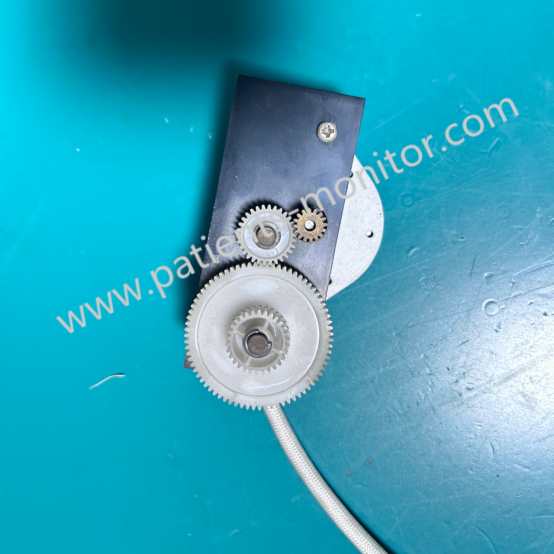
EDAN F2 Fetal Monitor Printer Motor Assembly ST42S1S317 - Used Good Medical Spare Part
Printer Motor for EDAN F2
EDAN F2 Fetal Monitor Printer Motor Assembly ST42S1S317 - Used Good Medical Spare Part
► Brief Description
The EDAN F2 fetal monitor is equipped with a built-in thermal printer that enables real-time printing of monitoring data, providing doctors with intuitive diagnostic information. As a widely used device in clinical medicine, the motor within the printer of the EDAN F2 is a key component for real-time data recording and output, primarily responsible for driving the paper feed and ejection.
► Detailed Photos
► Working Principle
The main working principle of the EDAN F2 Fetal Monitor Printer Motor Assembly ST42S1S317 is as follows:
- Drive Mechanism: The motor is a small DC motor connected to the print roller via a gear transmission system. When a print command is received, the control circuit sends a signal to the motor to rotate it.
- Precise Control: To ensure clear printing and accurate positioning, the motor's speed and rotation angle need to be precisely controlled. This is achieved through pulse width modulation (PWM) technology to adjust the motor's speed and torque.
- Thermal Printing Coordination: Smooth motor operation is crucial during thermal printing. It needs to be synchronized with the print head's heating process to ensure the paper passes through the print head at a constant speed, resulting in clear images and text.
► Maintenance
To ensure the proper functioning of the Printer Motor Assembly ST42S1S317 and to extend the lifespan of the EDAN F2 monitor, we recommend the following maintenance procedures:
1. Regular Cleaning: Regularly clean the print head and paper feed path using dedicated cleaning paper or a soft cloth dampened with a small amount of alcohol to prevent dust and paper scraps from accumulating and affecting motor operation.
2. Inspect Transmission Components: Regularly check the drive belt for looseness or wear, and replace it if necessary.
3. Store at a Suitable Temperature: Keep away from high temperatures or humidity. Store in a dry, cool place when not in use.
► Note
If your Edan F2 printer experiences the following malfunctions, it may indicate a problem with the printer motor, requiring immediate replacement:
- No paper feed: The print command has been issued, but the thermal paper remains stationary.
- Unstable speed: The paper feed speed is too fast or too slow.
- Mechanical noise: Abnormal noises are emanating from the printer compartment.
Get in Touch
Have questions about our products or want to discuss a custom order? Our team is ready to help you.