
EDAN F2 Fetal Monitor Printer Roller Assembly - High-Quality OEM Replacement Part for Repair
Printer Roller for EDAN F2
EDAN F2 Fetal Monitor Printer Roller Assembly - High-Quality OEM Replacement Part for Repair
► Brief Description
The Edan F2 fetal monitor is a highly accurate and user-friendly device widely used in obstetrics. Its built-in printing function is crucial for accurate and clear printing in fetal monitoring, essential for medical records and patient care. The print motor is a key component of the Edan F2's built-in printer, ensuring smooth paper feeding and high-quality thermal printing.
► Function
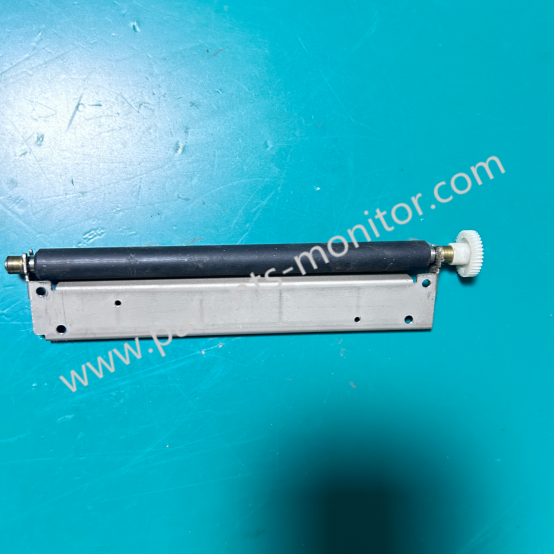
The EDAN F2 Fetal Monitor Printer Roller Assembly, though small, is a crucial component. Working in conjunction with the thermal printhead, it ensures smooth paper movement and maintains stable contact during printing. Made of high-strength rubber, it effectively prevents paper slippage. However, over time, due to prolonged exposure to heat and paper friction, the print roller may wear, become dirty, or lose its grip. This can lead to blurry prints, paper jams, or uneven output, which can be easily resolved by simply replacing the print roller.
► Detailed Photos
► Replacement
1. Turn off the power to the F2 fetal monitor.
2. Open the printer compartment and remove the paper roll.
3. Gently pull out the old print roller.
4. Insert the new print roller, ensuring it can rotate freely.
5. Reload the paper and print a test image.
► Troubleshooting
If your EDA F2 exhibits any of the following issues, it may indicate a problem with the print roller assembly, requiring replacement:
1. Paper slippage or poor paper feed
2. Stripes or fading in the print output
3. Abnormal noise during printing
4. Incomplete thermal printing
Get in Touch
Have questions about our products or want to discuss a custom order? Our team is ready to help you.