
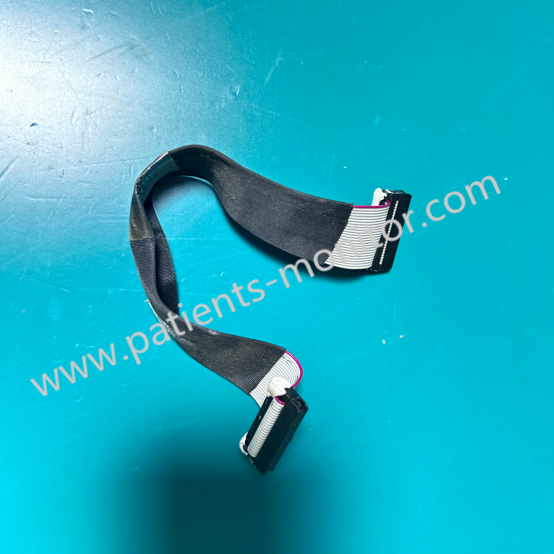
EDAN F2 Fetal Monitor Connection Cable Wire Between VGA Board and Motherboard 01.13.114329
Connection Cable for EDAN F2
EDAN F2 Fetal Monitor Connection Cable Wire 01.13.114329 Between VGA Board and Motherboard
► Brief Description
The Edan F2 monitor is a high-precision, easy-to-operate, and highly stable professional medical device. As the connector between the motherboard and the VGA board, it plays a crucial role in data transmission. Its main functions include:
- High-definition video signal transmission: Supports the VGA standard, ensuring clear display of waveforms, numbers, and graphs.
- Control signal communication: Transmits display control commands from the motherboard, such as brightness adjustment and refresh rate synchronization.
- Power supply: Provides the necessary operating voltage to the VGA board, ensuring its normal operation.
► Detailed Photos
► Common Faults
During long-term use of the Edan F2 device, the connection cable may experience poor contact or breakage due to frequent opening and closing of the cover, vibration, or aging, leading to the following faults:
1. No display or black screen: The VGA Board is not receiving a signal or power.
2. Image flickering or abnormal colors: The signal cable is partially broken or the shielding layer is ineffective, or it is subject to electromagnetic interference.
3. Display desynchronization or distorted screen: The synchronization signal transmission is unstable.
The following methods can be used for troubleshooting:
1. Check if the ribbon cable is loose or oxidized. Re-plug and clean the contacts.
2. Use a multimeter to check if the power pins are conductive.
3. Replace with a ribbon cable of the same model for testing.
► Maintenance
To ensure long-term stable operation of the equipment, it is recommended to follow these principles when maintaining the EDAN F2 tire monitor:
● Power Off Operation: Always disconnect the power supply before replacement or inspection to avoid short circuits that could damage the motherboard or VGA Board.
● Gentle Insertion and Removal: Open the connector latches before removing the ribbon cable; never pull the cable directly.
● Use Genuine Parts: Non-genuine ribbon cables may have impedance mismatch or insufficient shielding, affecting image quality and equipment lifespan.
● Regular Inspection: During the annual maintenance of the equipment, it is recommended to check the ribbon cable for signs of bending, aging, or wear.
Get in Touch
Have questions about our products or want to discuss a custom order? Our team is ready to help you.