
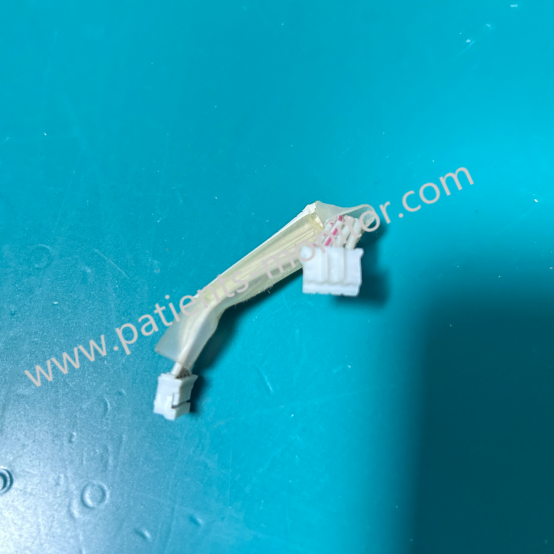
EDAN F2 Fetal Monitor Connection Cable Wiring 01.13.31079 Between VGA and USB Interface Board
Connector Wire for EDAN F2
EDAN F2 Fetal Monitor Connection Cable Wiring 01.13.31079 Between VGA and USB Interface Board
► Brief Description
As a common device in medical institutions, the Edan F2 integrates multiple functions, including VGA and USB. A crucial data transmission bridge connects these two functions: the Connection Cable Wiring 01.13.31079. It has the following functions:
- Transmitting video data signals
- Providing power supply, centrally powered by a power management module, ensuring low power consumption and high stability.
► Detailed Photos
► Maintenance
Although small, the VGA and USB cables of the EDAN F2 fetal monitor are crucial for the normal operation of the device. During daily use and storage, the following precautions should be taken to extend its lifespan and maintain device stability:
1. Regularly check cable connections to ensure the interfaces are secure and not loose.
2. Clean the interface contacts, but do not use disinfectants or apply excessive force.
3. Avoid forced bending to prevent internal circuit breakage.
► FAQ
Q1: Can I buy directly?
A: Yes, you can buy directly. No exchange is needed. We accept bank transfers, Western Union, and PayPal.
Q2: Will I get a single item if I only buy one?
A: Our minimum order quantity is one piece, so please rest assured.
Q3: How do you provide a quality guarantee?
A: We offer a 90-day warranty, and we will test the product for you before shipping to ensure it functions perfectly.
Q4: What if I don't know how to install it?
A: Don't worry, our engineers provide online technical guidance.
► Remove USB Disk
After the data export is complete, select "Remove Disk" in the file management interface. Do not unplug the USB disk until the message "It is now safe to remove the USB disk" appears.
If a "Failure" message appears, please repeat the above steps.
Note:
1. It is essential to perform the "Remove Disk" operation; otherwise, data loss or damage to the USB disk may occur.
2. After performing the "Remove Disk" operation, be sure to unplug the USB disk; otherwise, the monitor will not recognize the USB disk.
Get in Touch
Have questions about our products or want to discuss a custom order? Our team is ready to help you.