
Biocare IM12 Patient Monitor Side Cover Medical Monitoring Device Protective Casing
Biocare IM12 Patient Monitor Side Cover Medical Monitoring Device Protective Casing
Brief introduction
This side cover is an original factory designed accessory for the Biocare IM12 monitor. Made of light gray medical-grade engineering plastic, it's injection molded in one piece, precisely matching the dimensions of the IM12 monitor's side panel. The edges are rounded and polished, and the surface has a matte finish that resists scratches. It serves to protect the internal circuitry, airflow, and other core components of the device, while also maintaining the monitor's overall clean and uniform appearance. It can directly replace damaged or worn-out side covers, quickly restoring the device's protective and aesthetic condition.
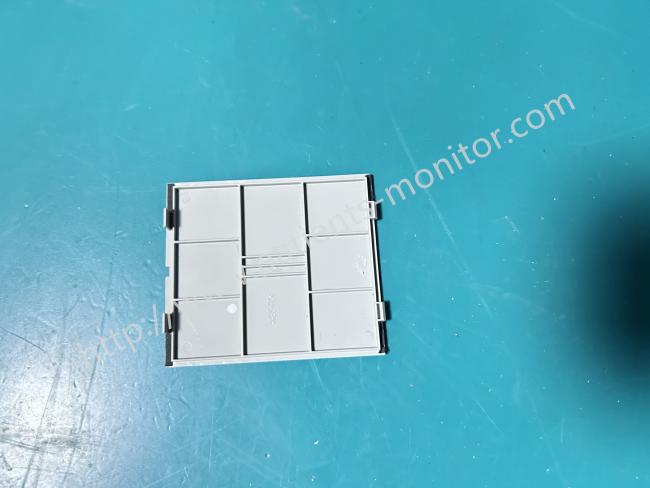
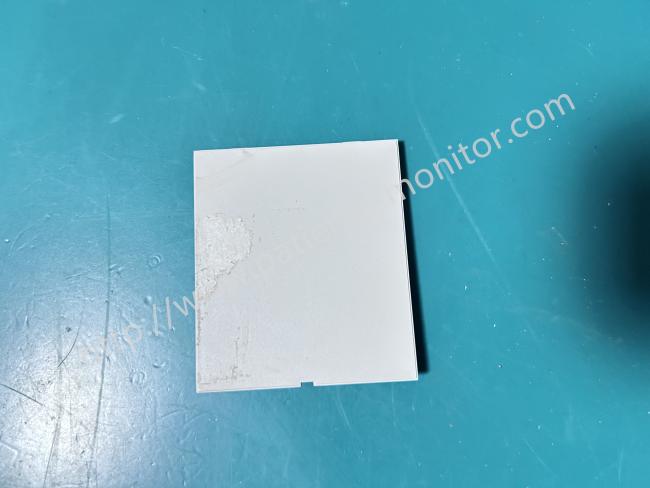
Main Functions
1. Physical Protection: Shields and protects the monitor's core components, such as circuit boards, connecting cables, and gas lines, from the sides, preventing the intrusion of dust, liquids, and foreign objects. It also prevents damage to internal components from impacts and pressure during daily operation.
2. Dust and Moisture Protection: Seals the openings on the side of the monitor, reducing the corrosive effects of dust, moisture, and disinfectants in the clinical environment on internal components, extending their lifespan.
3. Structural Fixation: Secures internal components with clips and screws, maintaining the stability of the internal structure and preventing malfunctions caused by component displacement.
5. Appearance and Safety: Maintains a clean and aesthetically pleasing overall appearance of the monitor, while preventing accidental contact and operational interference due to exposed internal components, complying with clinical equipment usage guidelines.
Disassembling Back Cover Parts
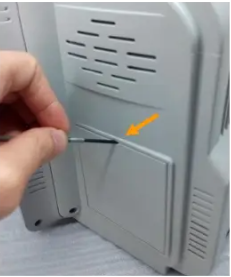
Disassembling the side cover method: Lay the right side of the back cover part flatwise face up, and use asmall flat-bladed screwdriver to pry up the cover board from the notch as shown in the figure below.
Usage Precautions
•Correct Installation: When installing, please confirm the orientation, align the clips or screw holes, and apply even pressure by pressing or tightening to ensure proper, level, and seamless installation.
•Regular Inspection: It is recommended to check the side cover for secure fixing and any cracks or deformation during routine equipment checks.
•Cleaning Method: Disconnect the monitor power before cleaning. Use a soft cloth dampened with a neutral detergent to wipe the surface. Avoid using corrosive solvents to prevent plastic aging.
•Storage and Handling: If the side cover is not in use immediately after removal, it is recommended to store it properly in a dry and clean place to prevent loss or damage.
Get in Touch
Have questions about our products or want to discuss a custom order? Our team is ready to help you.