
Safety Assured EDAN F2 Fetal Monitor Grounding Wire Assembly 01.13.32483-01
Safety Assured EDAN F2 Fetal Monitor Grounding Wire Assembly 01.13.32483-01
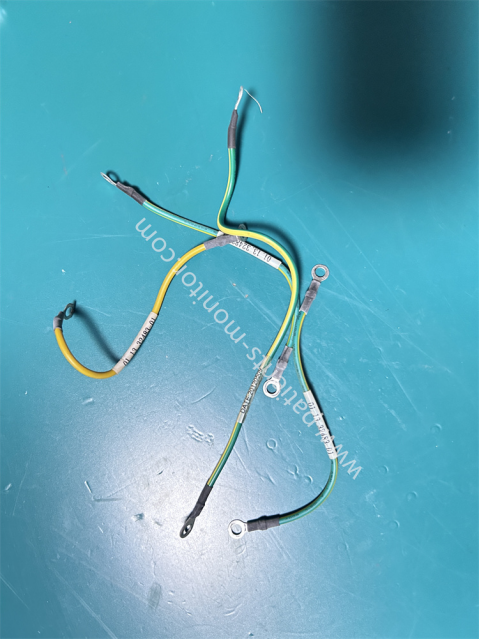
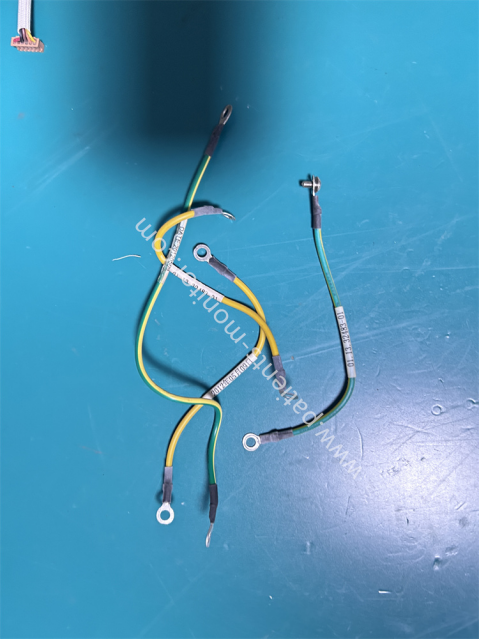
This is one of the important internal connection cables for the F2 fetal heart rate monitor. This cable is a grounding assembly, and the part number 01.13.32483-01 is printed on it for quick identification during maintenance and cable replacement.
This grounding assembly differs slightly from ordinary cables in its connectors. Both ends of this cable are metal segments, which can be connected to the device's grounding terminal and the power board, respectively.
The cable uses a yellow-green dual-color design, and the conductors are multi-strand tinned copper cores, providing excellent conductivity. The outer layer of the conductors is PVC insulation, offering good insulation performance and aging resistance.
Grounding Replacement Steps
1. First, disconnect the device from power and release any residual electrical charge.
2. Remove the device casing and locate the connection position of the old grounding assembly.
3. Disconnect the terminals of the old wires one by one, and record the corresponding position of each wire.
4. Connect the new grounding component's wiring to the corresponding location according to the recorded positions.
5. Tighten all screws to ensure secure terminal contact and prevent loosening.
6. Use a multimeter to test the grounding resistance. Once confirmed to meet safety standards, reinstall the casing.
|
Product name |
Grounding Wire Assembly |
|
PN |
01.13.32483-01 |
|
Type |
Monitor parts |
|
Cable length |
20CM |
|
Color |
Yellow/Green |
|
Material |
PVC |
|
MOQ |
1 Piece |
|
Warranty |
90 days |
|
Weight |
Light |
FAQ
Q1: The device receives a leakage current alarm during operation, and the device casing is electrified. Is this a grounding fault?
A1: First, check if the two grounding wire connections are loose. If not, use a professional multimeter to check if the resistance between the device casing and the ground is less than 0.5Ω. If the resistance is too high, the grounding component needs to be replaced.
Q2: During normal monitoring, the F2 monitor experiences signal interference, causing abnormal waveforms. What could be the cause?
A2: Check if the internal connecting cables are damaged. Damaged cables can impair anti-interference capabilities, leading to abnormal data transmission. If the cables are damaged, replace them and re-monitor.
Q3: The grounding wire connection is worn or aged. Does it need to be replaced?
A3: If the grounding wire connection is severely worn or aged, it is recommended to replace it promptly to prevent leakage current during device use.
| Payment Methods | Bank Transfer / PayPal / Western Union |
|---|---|
| Shipping Methods | DHL / FedEx |
Get in Touch
Have questions about our products or want to discuss a custom order? Our team is ready to help you.