
EDAN F2 fetal monitor power board VGA board fetal monitoring board connection cable 01.13.114336-12
EDAN F2 fetal monitor power board VGA board fetal monitoring board connection cable 01.13.114336-12
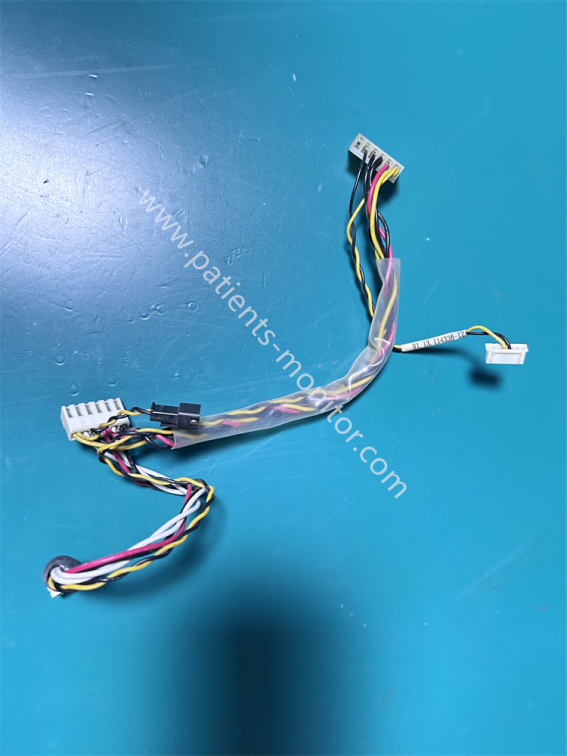
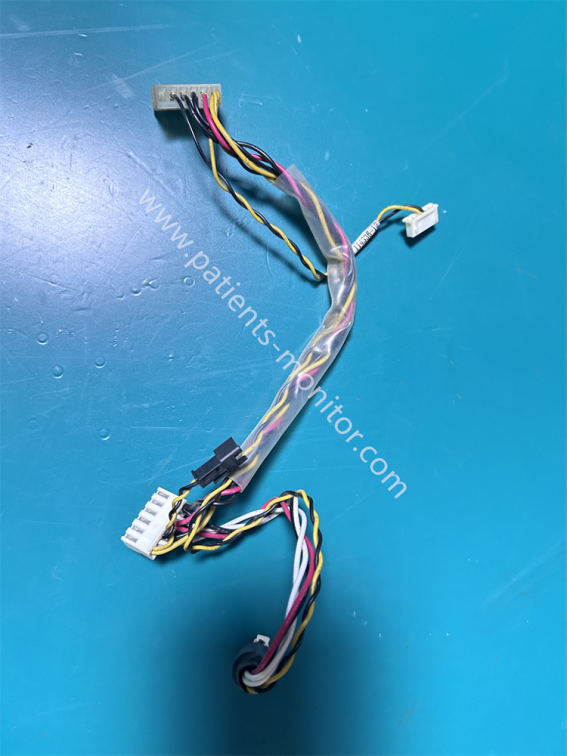
This cable connects three main internal components of the Edan F2 monitor: the power board, VGA board, and fetal monitoring board. The part number is 01.13.114336-12.
The cable includes multiple white sockets of different sizes and one black power connector, corresponding to the interfaces on the power board, VGA board, and fetal monitoring board, respectively. It features locking clips to prevent incorrect insertion.
This cable not only provides power but also transmits video and monitoring signals, integrating multiple functions into one. It uses different colored cables, and the middle of the cable is wrapped with transparent heat-shrink tubing for anti-interference and abrasion protection.
Functional & Advantages
1. Power Transmission: It can transmit signals between the power board, VGA board, and fetal monitoring board, ensuring the normal operation of both.
2. Signal Transmission: It can serve as a signal transmission cable between the tire monitoring board and the VGA board, ensuring stable tire monitoring signal transmission and assisting in video-based tire monitoring signals.
3. Strong Anti-interference Capability: The heat shrink tubing on the cable effectively shields against electromagnetic interference, preventing the tire monitoring signal from being affected by other modules and ensuring accurate and reliable data acquisition.
4. Integrated Functions: It integrates power supply and signal transmission functions, simplifying internal wiring and improving system reliability.
|
Product name |
cable |
|
PN |
01.13.114336-12 |
|
Machine model |
F2 fetal monitor |
|
Type |
Monitor parts |
|
Material |
PVC |
|
Color |
Black+Yellow+Red |
|
Warranty |
90 days |
|
Cable Length |
35cm |
|
Weight |
About 15g |
|
Delivery by |
Express |
FAQ
Q1: The device displays no tire monitoring signal. What is the problem?
A1: First, check if the sockets at both ends of the cable are loose or not plugged in properly. Then, use professional tools to test if the signal cable is communicating normally. If the cable is normal, check the VGA board or the tire monitoring board.
Q2: The device cannot start. What could be the reason?
A2: Check the power supply continuity and voltage output. If everything is normal, check if the power board or mainboard is faulty.
Q3: How to clean and maintain the cables?
A3: Avoid impacts during daily use to prevent the cables from becoming loose; avoid contact with liquids when cleaning.
| Payment Methods | Bank Transfer / PayPal / Western Union |
|---|---|
| Shipping Methods | DHL / FedEx |
Get in Touch
Have questions about our products or want to discuss a custom order? Our team is ready to help you.