
21.53.114343-1.1.2C EDAN F200/F300 Fetal Monitor Printer Paper Sensing Board Replacement Sensor
21.53.114343-1.1.2C EDAN F200/F300 Fetal Monitor Printer Paper Sensing Board Replacement Sensor
- Product Description
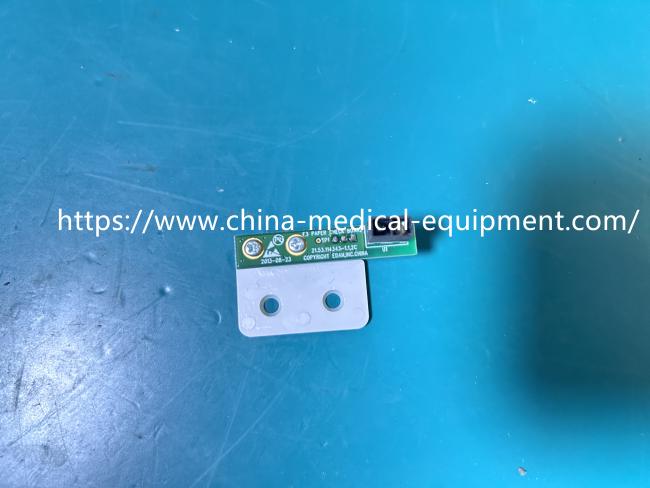
This is a genuine 21.53.114343-1.1.2C Printer Paper Sensing Board designed specifically for the EDAN F200 Fetal Monitor. As shown in the images, the assembly features a compact green PCB board integrated with a white plastic mounting bracket and a black optical sensor. Its core function is to monitor the status of the thermal recording paper in real-time. When paper is present, it blocks the infrared beam; when the paper runs out, the sensor detects the change and sends a signal to the main control board, triggering an "Out of Paper" alarm on the monitor's screen to remind medical staff to replace the consumable.
- Product Specifications
| Product Name | Printer Paper Sensing Board |
|---|---|
| Model | 21.53.114343-1.1.2C |
| Material | PCB |
| Function | Paper Out Detection |
| Sensor Type | Optical Infrared Sensor |
| Color | Green + White |
- Installation & Tips:
Installation and Usage Tips
1. Power Off: Always disconnect the power supply before starting any maintenance.
2. Locate the Circuit Board: Open the printer door and locate the old sensor board.
3. Replacement: Disconnect the connector and install the new board in the same position.
4. Testing: Power on the printer and feed in a sheet of paper to verify that the sensor is working properly.
Precautions
1. Handle the circuit board carefully to avoid damage from static electricity.
2. Ensure the paper path is clean before installation.
3. Do not touch the optical sensor lens with your fingers.
- Function
Its core function is to act as the "eyes" of the printer, responsible for detecting the status of the recording paper. Specific responsibilities include:
1. Out of Paper Detection: Detecting whether the printer has run out of paper.
2. Paper Presence Detection: Confirming that the paper is correctly loaded.
3. Paper Edge Detection: This function is used to calibrate the printhead position.
Get in Touch
Have questions about our products or want to discuss a custom order? Our team is ready to help you.