
EDAN F200 F300 Fetal Monitor Three-Prong Power Interface Assembly 01.13.114340012, 01.13.114340014
Power Interface for EDAN F200 F300
EDAN F200 F300 Fetal Monitor Three-Prong Power Interface Assembly 01.13.114340012, 01.13.114340014
► Brief Description
The EDAN F200 and F300 Fetal Monitors are professional medical devices known for their stability and portability. They can be used either plugged into a power source or powered by batteries. On the side or back of the EDAN F200 and F300 fetal monitors, there is typically a circular multi-pin connector. This is actually a dedicated DC power and communication hybrid interface. It is not simply a power supply port, but a connection hub integrating three signal channels.
► Detailed Photos
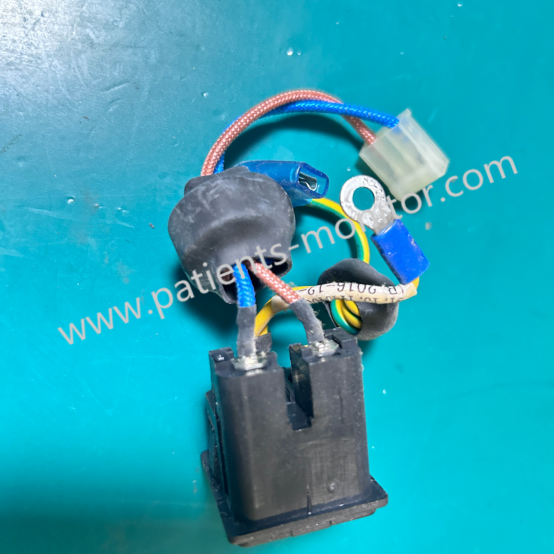
► Main Functions
1. DC Power Input: This is the most basic function of this interface. It is responsible for inputting DC power from the external adapter into the device, powering the motherboard and charging the built-in battery.
2. Grounding: Specific pins in this interface are designed to connect to ground, effectively dissipating static electricity or leakage current that may be generated during device operation, preventing the risk of ele ctric shock, and ensuring the absolute safety of pregnant women and fetuses.
3. Charge Status Detection/Communication: This pin allows for a simple "handshake" communication between the device's motherboard and the battery pack or power adapter. It can detect whether the adapter is correctly connected, identify the magnitude of the charging current, and provide feedback to the system's power management module, thereby controlling the status of the charging indicator light.
► Common Faults
Because this power interface performs both power supply and communication functions, and is frequently plugged in and out, the following problems are prone to occur:
1. Poor Contact and Power Interruption:
○ Symptom: The device lights up and off intermittently when connected to power, or the charging indicator light flashes erratically.
○ Cause: Frequent plugging and unplugging causes fatigue and deformation of the metal contacts inside the interface, preventing a tight seal with the plug; or dust, lint, or other foreign objects accumulate inside the interface.
○ Recommendation: With the power off, clean the inside of the interface using anhydrous ethanol and an anti-static brush. If the contacts are deformed, repair is recommended; forcing use may cause abnormal power supply to the motherboard.
2. Unable to Charge:
○ Symptom: The power connection is normal, but the battery level does not increase, or the battery icon displays "Not Charging" when connected to power.
○ Cause: Poor contact at the communication pins may prevent the motherboard from recognizing the charging command; or the power adapter itself may be damaged.
○ Recommendation: Try replacing the adapter with an original one for testing. If the problem persists, it may be due to detached solder joints at the interface or a fault in the motherboard's charging management circuit.
3. Loose Interface:
○ Symptom: The plug wobbles significantly after insertion and disconnects easily with slight force.
○ Cause: This interface is usually directly soldered to the main control board of the device. If subjected to strong external force, the solder joint can easily detach or the interface base can break.
○ Recommendation: Hold the plug body when plugging or unplugging; do not pull on the power cord. If it is already loose, it needs to be repaired, resoldered, or the interface socket replaced.
Get in Touch
Have questions about our products or want to discuss a custom order? Our team is ready to help you.