
Biocare IM12 monitor VGA board includes a three-prong power connector, a network card, and a USB interface 02049124A
Biocare IM12 monitor VGA board includes a three-prong power connector, a network card, and a USB interface 02049124A
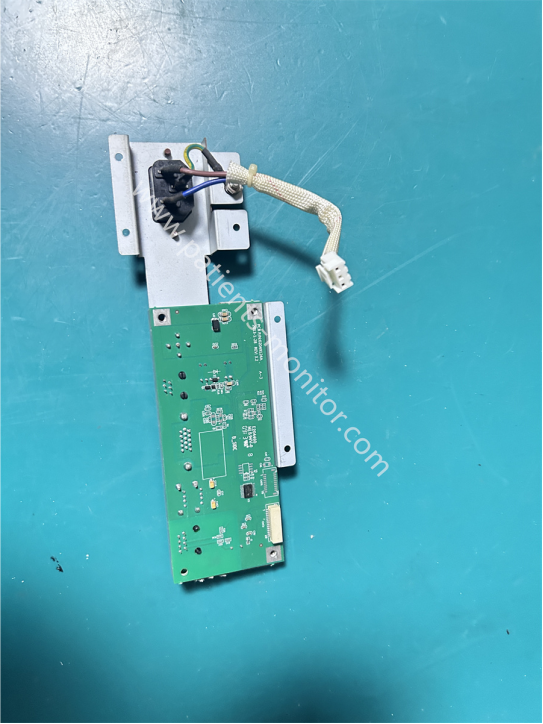
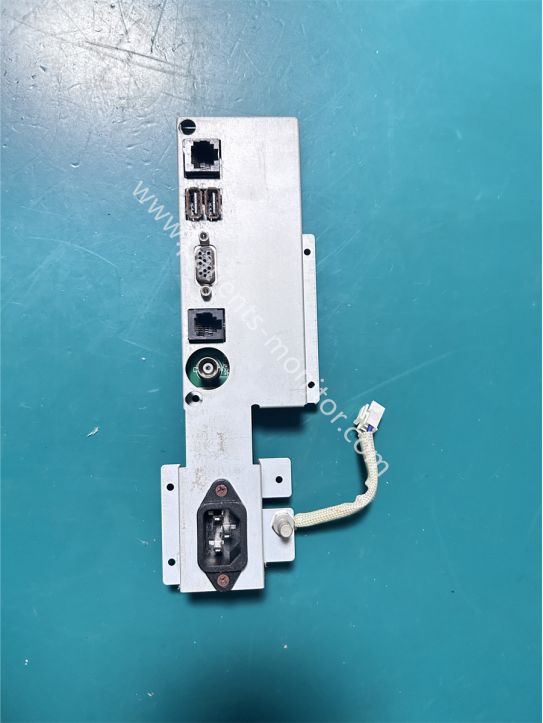
This is a VGA board for the Biocare IM12 patient monitor. The accessory features a metal bracket to support the VGA board's various interfaces. The front of the board is the VGA signal processing panel, while the back contains various interfaces, including a three-prong power connector, a network card interface, a USB interface, and interfaces for other external devices.
The power connector has a connecting cable on the back for connecting to the power board. The power cable has a white braided protective layer to protect the cable, slow down cable aging, reduce electromagnetic interference, and ensure stable power transmission.
- Video Signal Output: As the core VGA board, it synchronously transmits the monitor's real-time waveforms and vital signs data to an external monitor or projector, meeting the needs of teaching, consultations, and multi-screen displays.
- External Data Interaction: Data export, firmware upgrades, and external storage device connection are achieved via USB interface; device networking and data upload to the Hospital Information System (HIS) are achieved via RJ45 Ethernet port.
- Main Power Input: An integrated three-prong power socket serves as the power input for the entire device, working in conjunction with onboard filtering circuitry to provide stable AC power.
- Signal Integration and Shielding: A metal backplate shields against external electromagnetic interference, ensuring a clean and noise-free VGA video signal and lossless data transmission.
| Product name | VGA board |
|---|---|
| Model | 02049124A |
| Use for | Biocare IM12 |
| Condition | Working good |
| Material | PCB board + Metal |
| Weight | About 150g |
| Color | Green |
| MOQ | 1 Piece |
| Warranty | 90 days |
Q1: When using the Biocare IM12 monitor, the external monitor displays nothing. What could be causing this?
A1: We need to first rule out external factors, such as loose cables or oxidation of the interface. If everything is normal, the problem may be a faulty VGA board chip, requiring replacement of the interface board.
Q2: When inserting the USB interface into the device, the USB interface is not recognized. What should I do?
A2: Ensure the USB port is functional. Try plugging and unplugging it into a different USB port, and clean the USB port to prevent oxidation that could cause recognition problems. If the problem persists, replace the USB port.
Q3: When monitoring with the Biocare IM12 monitor, the image shows wavy lines or interference. What could be causing this, and how can it be resolved?
A3: There are two possibilities. First, the device's electromagnetic interference layer may be damaged. Check the cables for damage; if found, replace them immediately. Second, the device may have poor grounding. Replace the ground wire and retest.
| Payment Methods | Bank Transfer / PayPal / Western Union |
|---|---|
| Shipping Methods | DHL / FedEx |
Get in Touch
Have questions about our products or want to discuss a custom order? Our team is ready to help you.