
EDAN F300 Fetal Monitor Control Knob For for Medical Device adjustment
EDAN F300 Fetal Monitor Control Knob For For Medical Device adjustment
Introduction
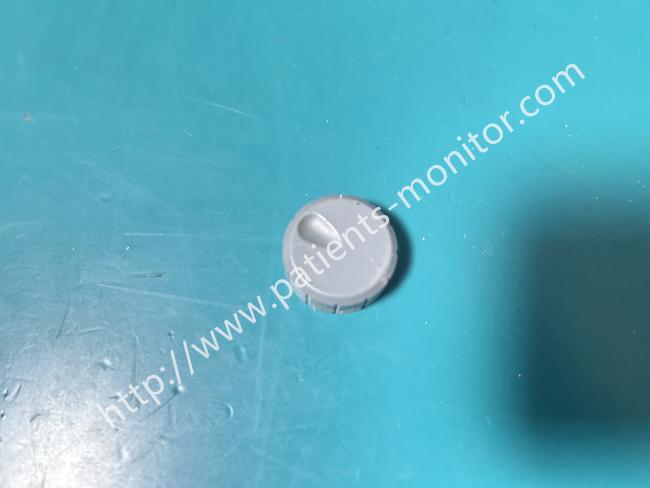
This knob is an accessory for the Edan F300 fetal monitor, specifically designed to fit onto the encoder shaft of the device (E204460), serving as the direct interactive component for medical staff operating the equipment. It is made of medical-grade, non-slip plastic in a single piece, precisely sized to match the encoder shaft, and offers a smooth, comfortable feel. It can directly replace worn, cracked, or detached old knobs without additional adjustments; simply installing it restores a smooth operating experience. It is a small but crucial accessory for maintaining the ease of operation of the F300 monitor.
Main Advantage
1. Operational Extension: As encoder knobs, they allow medical staff to easily adjust monitoring parameters such as fetal heart rate and uterine contractions by rotation, and confirm menu options by pressing, making operation more convenient.
2. Tactile Feedback: The non-slip textured surface provides clear feedback for rotation and pressing, preventing slippage and improving operational accuracy.
3. Shaft Protection: The encoder's metal shaft is encased to prevent direct contact that could cause wear and rust, extending the encoder's lifespan.
4. Identification Assistance: Some knobs feature directional or function indicators to help medical staff quickly identify the operating direction and reduce misoperation.
Control Knob

Function: Adjusting volume, as well as setting up and reviewing controls.
You can press the control knob just like any other key, and rotate it either clockwise or counterclockwise. All operations on the screen or within the menu are carried out using this control knob.
The highlighted rectangular marker on the screen—one that moves as you rotate the control knob—is called the “cursor.” You can perform operations at the exact screen position where the cursor rests.
When the cursor is positioned on a specific item, pressing the control knob will open its submenu or confirm your selected operation. Press the control knob a second time, and the cursor will be able to move freely across the interface and menus.
NOTE:
1. In the following text, "select" refers to rotating the control knob cursor to the desired item and then pressing the knob.
2. If key tones are enabled, the display will emit normal key tones when an operation is successful, and a sharp "beep" sound when an operation is invalid.
CAUTION
- This display is a general medical device. Please avoid vigorous operation, such as continuous pressing of buttons or control knobs.
- Regular inspection: Check the knobs every 3-6 months for cracks, looseness, or wear. If slippage or a loss of tactile feedback occurs, replace it immediately.
Get in Touch
Have questions about our products or want to discuss a custom order? Our team is ready to help you.