
E212685 20251 BLT M66 Patient Monitor Connection Board USB Network Interface Board Wiring Black
E212685 20251 BLT M66 Patient Monitor Connection Board USB Network Interface Board Wiring Black
- Product Description
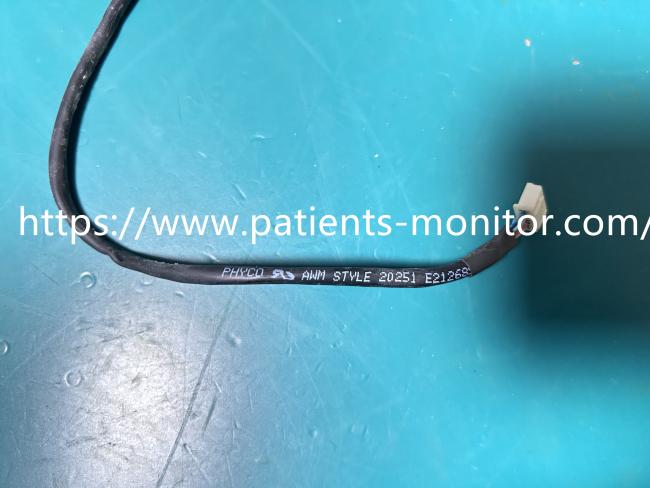
This is an internal wiring harness specifically designed for the BLT M66 Patient Monitor. The cable features a black outer sheath printed with the identifier "AWM STYLE 20251 E212685", indicating compliance with specific electronic wire safety standards. It is equipped with white plastic connectors on both ends, designed for precise docking between the "Connection Board" and the "USB Network Interface Board" within the monitor. This cable is primarily responsible for transmitting data signals (such as USB or network data) internally, ensuring the device can stably connect to external peripherals or the hospital network. It is a critical spare part for maintaining the communication functionality of the monitor.
Function
This cable serves as the "bridge" for internal communication in the BLT M66 monitor. It connects the "USB Network Interface Board," which handles external communication functions, with the device's main control or connection board. This ensures that monitoring data can be transmitted via USB or network ports to the nursing station, printers, or the central monitoring system.
- Product Specifications
| Product Name | BLT M66 Monitor USB Network Interface Wiring |
|---|---|
| Model | E212685 20251 |
| Material | Electronic Wire/Plastic Connector |
| Function | Data Transmission, Board Connection |
| Color | Black |
| Warranty | 90 days |
- Use Tips
1. Power Off:
Before installing or replacing this cable, be sure to turn off the monitor's power and unplug the power cord to ensure safety.
2. Confirm Interface:
When installing, carefully check that the connectors on both ends match the interfaces on the circuit board exactly. Do not force the connection to avoid damaging the pins.
3. Secure Cable:
After installation, it is recommended to secure the cable in the designated routing channel inside the device using cable ties or tape to prevent the cable from being pulled or worn out during device movement or vibration.
Get in Touch
Have questions about our products or want to discuss a custom order? Our team is ready to help you.