
050-000380-011 Comen C60 Patient Monitor LCD Display Driver Board Assembly With Screen Interface
050-000380-011 Comen C60 Patient Monitor LCD Display Driver Board Assembly With Screen Interface
- Product Description
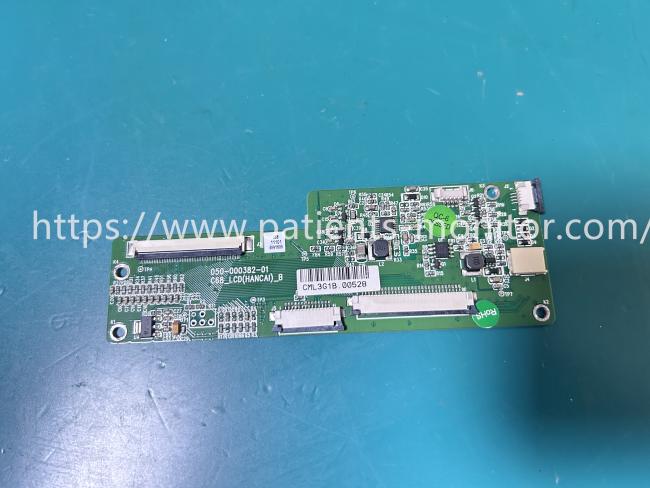
This is an original Comen C60 Patient Monitor LCD Display Driver Board Assembly. This component serves as the core of the monitor's display system, responsible for converting digital signals from the main board into image signals recognizable by the LCD screen.
As seen in the pictures, it features a high-density green PCB design with precise wiring and multiple on-board integrated circuits (ICs) and SMD components to ensure signal transmission stability.
The assembly includes two main parts: the display driver board (with barcode and model number printed on the front) and the soft flat cable interface connecting to the LCD panel. It is widely used for repair and upgrade of C60 monitors in ICU wards, emergency rooms, and operating rooms, serving as an ideal spare part for replacing old or damaged display modules. This accessory ensures that the monitor can clearly and in real-time display key vital signs data such as heart rate, blood pressure, and blood oxygen.
- Product Specifications
| Product Name | Display Driver Board |
|---|---|
| Model | 050-000380-011 |
| Material | PCB |
| Function | LCD Control |
| Color | Green |
| Warranty | 90 days |
- Use Tips
1. Power Off Operation:
Before disassembling or installing this driver board, be sure to cut off the monitor's power supply to prevent static electricity or short circuits from damaging the circuitry.
2. Cable Connection:
When installing, carefully connect the LCD screen cable and the mainboard signal cable, ensuring the interface is fully inserted and not bent.
3. Screw Fixation:
Use the original screws to fix the circuit board inside the casing to prevent poor contact caused by vibration when moving the monitor.
4. Function Test:
After installation, power on to test if the screen displays waveforms and values normally. Confirm everything is correct before putting it into use.
Get in Touch
Have questions about our products or want to discuss a custom order? Our team is ready to help you.