
Function Rotary Board and Keyboard Cable Wiring for Nihon Kohden BSM-4113K Patient Monitor
Cable Wiring for Nihon Kohden BSM-4113K
Function Rotary Board and Keyboard Cable Wiring for Nihon Kohden BSM-4113K Patient Monitor
► Brief Description
The Nihon Kohden BSM-4113K is a classic bedside monitor, primarily used for monitoring electrocardiogram (ECG), respiration, blood oxygen saturation, and non-invasive blood pressure. It features a modular internal design, with the front panel components connected to the mainboard or front panel interface board via ribbon cables or wiring harnesses.
In the BSM-4113K monitor, the user interface (knobs and buttons) is not directly soldered to the mainboard; instead, it is connected via flexible flat cables or dedicated wiring harnesses. While the wiring connecting the Function Rotary Board and the button circuit board may seem small, it plays a crucial role within the device.
► Detailed Photos
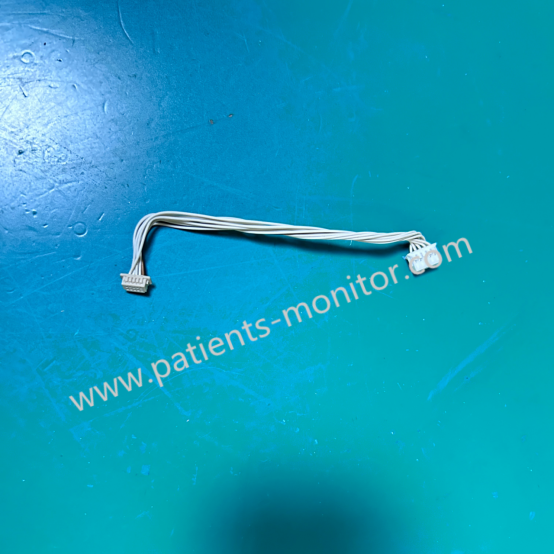
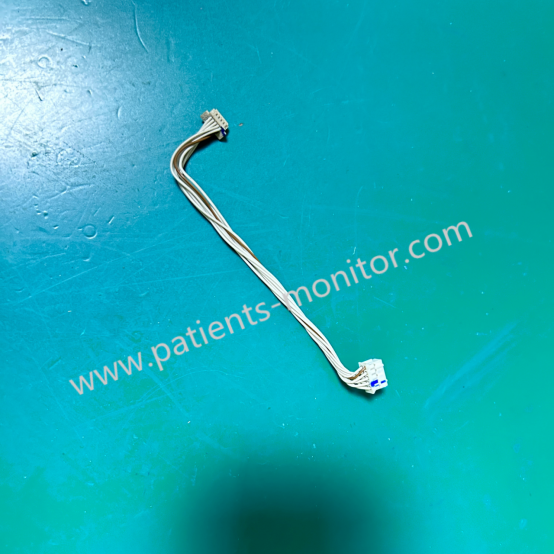
► Functions
- Rotary Knob Wiring: The rotary encoder of the BSM-4113K is used for menu navigation and selection confirmation. This wiring transmits rotational pulse signals (A-phase/B-phase) to detect rotation direction and speed.
- Keyboard Cable Wiring: The keyboard receives user commands (such as "mute," "freeze," "menu," etc.). The thin and flexible ribbon cable is suitable for wiring in confined panel spaces.
This connection wire receives operational information from both the knob and keyboard circuit boards. Because these two parts are separate, this wiring allows for signal transmission and command communication.
► Common Faults
1. Knob cannot adjust value: This may be due to a loose or damaged encoder connection.
Solution: Check if the wiring harness behind the knob is plugged into the bottom of the socket; check the continuity of the signal line.
2. Buttons unresponsive/repeatedly clicked: This may be due to oxidation or poor contact of the ribbon cable.
Solution: Re-plug the button board ribbon cable; clean the gold contacts; check the ribbon cable for creases or breaks.
3. Panel indicator lights not lit: This may be due to a power supply line fault.
Solution: Check the voltage of the power pins connecting the main board and the panel.
► FAQ
|
Q1: How to determine if the ribbon cable is damaged? |
|
A1: Visually inspect the ribbon cable for obvious creases, breaks, or blackened oxidation of the gold fingers. The most accurate method is to use a multimeter in buzzer mode to measure the continuity of the corresponding pins. |
|
Q2: What is the minimum order quantity? |
|
A2: One piece. |
|
Q3: Is this an original part? Is it compatible with my machine? |
|
A3: Yes, this is 100% original. You can contact us for details before placing an order. |
Get in Touch
Have questions about our products or want to discuss a custom order? Our team is ready to help you.