
Primedic iV12 Multiparameter Vital Signs Patient Monitor
Primedic iV12 Multiparameter Vital Signs Patient Monitor
Introduction
The iV12 is an advanced, modular patient monitor developed by EDAN (Shenzhen Edan Instruments, Inc.). It is a Class III medical device designed for use in high-acuity environments such as ICUs, CCUs, operating rooms, and emergency departments.
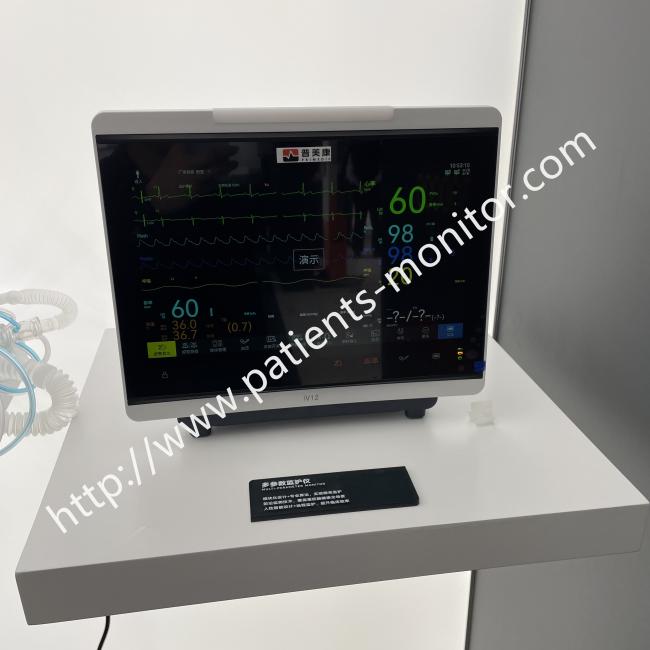
The monitor features a 13.3-inch anti-glare HD display with a resolution of 1920×1080 and an ultra wide 170° viewing angle. Its full-touchscreen interface supports gesture-based operation, and the fanless design minimises noise, reduces dust accumulation, and makes disinfection easier. The monitor carries an IP22 waterproof rating, offering protection against dripping water.
Advantages
The iV12 supports 24-hour ECG and NIBP summary, multi-lead analysis, and high-resolution ECG mode. It offers invasive cardiac output monitoring and up to 8-channel IBP for critical patients. For anaesthesia, it tracks anaesthesia gas concentration, BIS, and NMT.
The monitor integrates directly with HIS/EMR systems via HL7 protocol. It connects to central monitoring stations via wired or wireless networks, and supports mobile stations and web observers for remote access.
Built for ICU, CCU, and operating rooms. The modular design allows parameter modules to be added or swapped as clinical needs change. The fanless, IP22 rated construction handles the demands of critical care environments, and the 170° viewing angle ensures the display is readable from nearly any position around the bed.
Inspection:
-
Remove the monitor and accessories from the packaging.
-
Check that all components are present: the main unit, power cord, battery, parameter modules, and user manual.
-
Inspect the device for any visible damage before use.
Mounting options:
The monitor can be placed on a bedside table, mounted on a mobile stand, or attached to a wall bracket.
Connecting power:
-
Connect the power cord to the monitor and plug it into a mains outlet (100–240V AC, 50/60Hz).
-
If using battery power, ensure the internal battery is installed and charged.
Starting monitoring:
-
Power on the monitor.
-
Select the appropriate patient category (adult, paediatric, or neonatal).
-
Verify that all parameter waveforms and numeric data are displayed.
-
Set alarm limits as appropriate for the patient's condition.
-
The monitor will begin continuous real-time monitoring.
Get in Touch
Have questions about our products or want to discuss a custom order? Our team is ready to help you.