
GE Power Management Board PMB 1505-5502-000 REF 410643506 New Original Blue Color
GE Power Management Board PMB 1505-5502-000 REF 410643506 New Original
► Brief Description
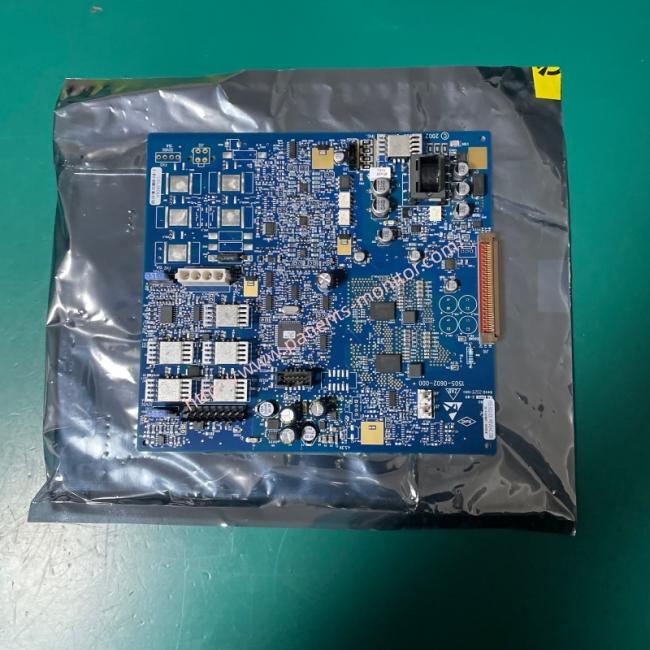
The Power Management Board (PMB 1505-5502-000 / REF 410643506) is a square, blue metal-based board equipped with a small button cell and various connectors. Designed for the Engström Carestation ventilator/anesthesia system, it serves as the core power management component. This board handles system power selection, battery charge/discharge management, and system shutdown sequencing; it is a brand-new, genuine spare part.
► Specifications
| Brand | GE |
| Part number | 1505-5502-000 REF 410643506 |
| Use for | Ventilators and anesthesia machines |
| Product Name | Power Management Board |
| Condition | New Original |
| MOQ | 1 Piece |
| Delivery Method | DHL ,Fedex ,UPS |
| Payment Method | Paypal,T/T,Western Union |
| Power Supply Source | Electric |
| Color | Blue |
| Stock Situation | Stock available |
| Size | Standar |
| Material | Metal |
►Detailed Photos
►Core Functions
1.Power Selection and Switching: Automatically switches between AC power and the internal battery, ensuring continued operation during a mains power failure.
2.Battery Management: Controls the internal battery charging process (e.g., trickle, high-current, and float charging) and monitors battery status.
3.Power Regulation and Distribution: Converts input power into the various voltage levels required by internal components (e.g., 24V, 16V, 12.5V) to supply power to the system motherboard, display unit, and other parts.
4.Communication and Safe Shutdown: Communicates with the display unit via a serial port to report battery status; manages the safe shutdown sequence to ensure power is cut off only when the device is not in a ventilation state.
►Removal and Installation
1.Record configuration: If the original board has jumpers, potentiometers, or switches, photograph or record their exact positions before removal; the new board must replicate this exact configuration.
2.Mark cables: Label cables and their corresponding connectors before disconnecting them to prevent incorrect connections during installation.
3.Tighten evenly: Use both hands to apply even pressure when inserting the board into the slot. Tighten mounting screws evenly in a diagonal pattern to prevent the circuit board from bending or cracking due to uneven stress.
►Critical Verification
Check for foreign objects: Before and after installation, inspect the interior of the frame, the battery compartment, and the area around the board for loose screws, wire scraps, or other foreign objects to prevent short circuits.
Confirm connections: Ensure all connectors are fully seated and that no cables are trapped between the board and the frame.
Thank you for your time, if you want more details about the GE Power Management Board PMB 1505-5502-000 REF 410643506 , please contact me at any time, Looking forward to your inquiry.
Get in Touch
Have questions about our products or want to discuss a custom order? Our team is ready to help you.