
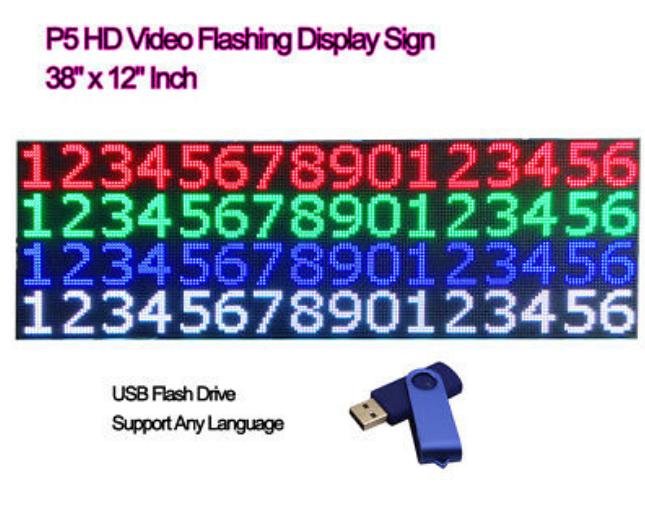
P5 HD 64x16 Programmable Scrolling Message Display
Price:
negotiable
MOQ:
negotiable
Delivery Time:
20 days after receiving the deposit
Brand:
jucaiyuan
Product Description
Product Description:
1. Flexible and bendable
The flexible chassis and soft cover design allows to build many different forms and configurations including circular, serpentine, vertical, square with 90 degree corners.
2. Super thin
Flexible LED screen module is one of the thinnest sign in the world, with 9mm thickness only.
3. Super small weight
Within 400g per LED module.
4. Very simple to install and maintain
Free cables, no tools needed. Customer can mount iron sheet or magnetic product on the wall or display racks.
5. High brightness
6. Multi-color
7. With controller box and remote control keyboard.
Technology Specifications
| Pixel pitch | 7.62mm | Driving Method | Constant current 1/16scan |
| Pixels | SMD 3in1 3528 | Viewing angle | 120 degree |
| Pixel density | 17200 pixels/sqm | Power (max) | 12w |
| Module weight | 380g | Input Voltage | 100~245V |
| Module size | 488mm x 122mm | Temperature range | -15~60 degree |
| Module resolution | 64 x 16 dots | Humidity range | 10~90% RH |
| Brightness | > 1000 nits | Control system | synchronous control system, Asynchronous control system |
Instructions
1.Insert the USB Flash Drive into the PC USB port,Copy all the contents of the USB Flash Drive to the PC hard Drive
2.Enter the software folder (in the PC hard disk), double-click InfoLedm.exe icon installing software,double-click FLASH LED icon to run this software
3.Go to tools on the top toolbar and select the product model [02] HC - 2 (Full Color)
4.Go to tools on the top toolbar and press "Get Param"icon to initialize the software (It only needs to be initialized once)
5.Click on the File menu, and then click New menu to set up New program,Press Add Rich/Add GIF/etc. Here's a preview window, you can watch this window to fine tune character position, or select the font and size.
6.Using the top toolbar, find and press U disk REC icon (make sure your USB Flash Drive is inserted)
7.After a few seconds the program will be recorded to the USB Flash Drive, please confirm that no other program execution during this period.
8.Eject your USB Flash Drive and insert it into the LED board
9.a few seconds later, “OK” should be displayed on the LED board and indicate that the program has been uploaded to the LED board automatically
10.Take your USB Flash Drive out of the LED board, and your program will be immediately displayed on the LED Board.
Similar Products
Get in Touch
Have questions about our products or want to discuss a custom order? Our team is ready to help you.
Company
Shenzhen Jucaiyuan OptoelectronicTechnology Co.,Ltd
Location
2nd Floor, Building A5, Xuxingda Industrial Park, Shiyan Street Island, Shenzhen
Contact Person
Baron